Laby Chat, la chat con gli amici di MinecraftUn'unica chat. In gioco, nel launcher e nell'app.
Scrivi ai tuoi amici mentre giochi, leggi la risposta sul telefono, riprendi dal launcher. Ogni messaggio, reazione e conferma di lettura è ovunque, nello stesso momento.
- Gratis
- Da Minecraft 1.8.9 all'ultima versione
- Windows, macOS e Linux
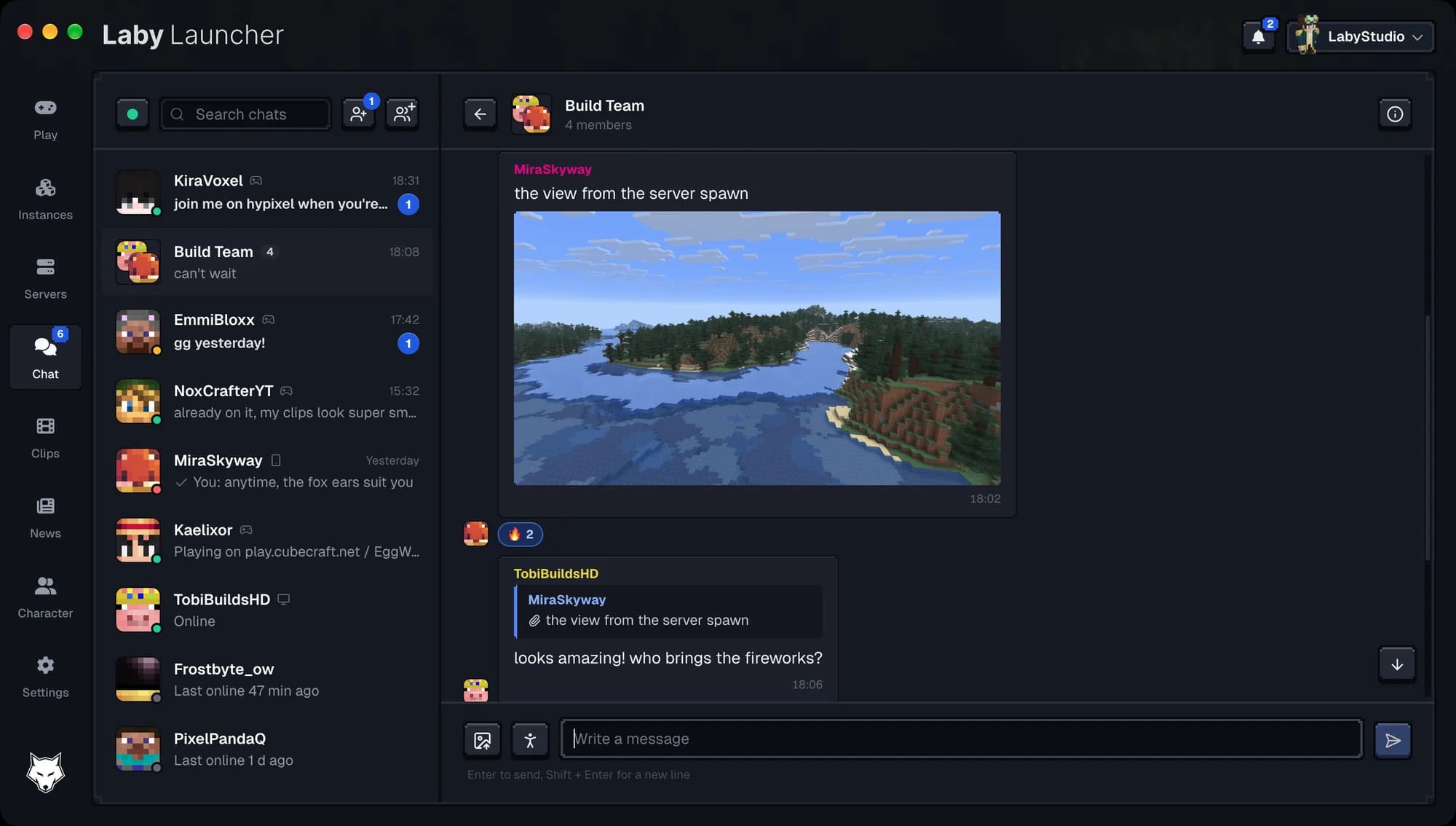
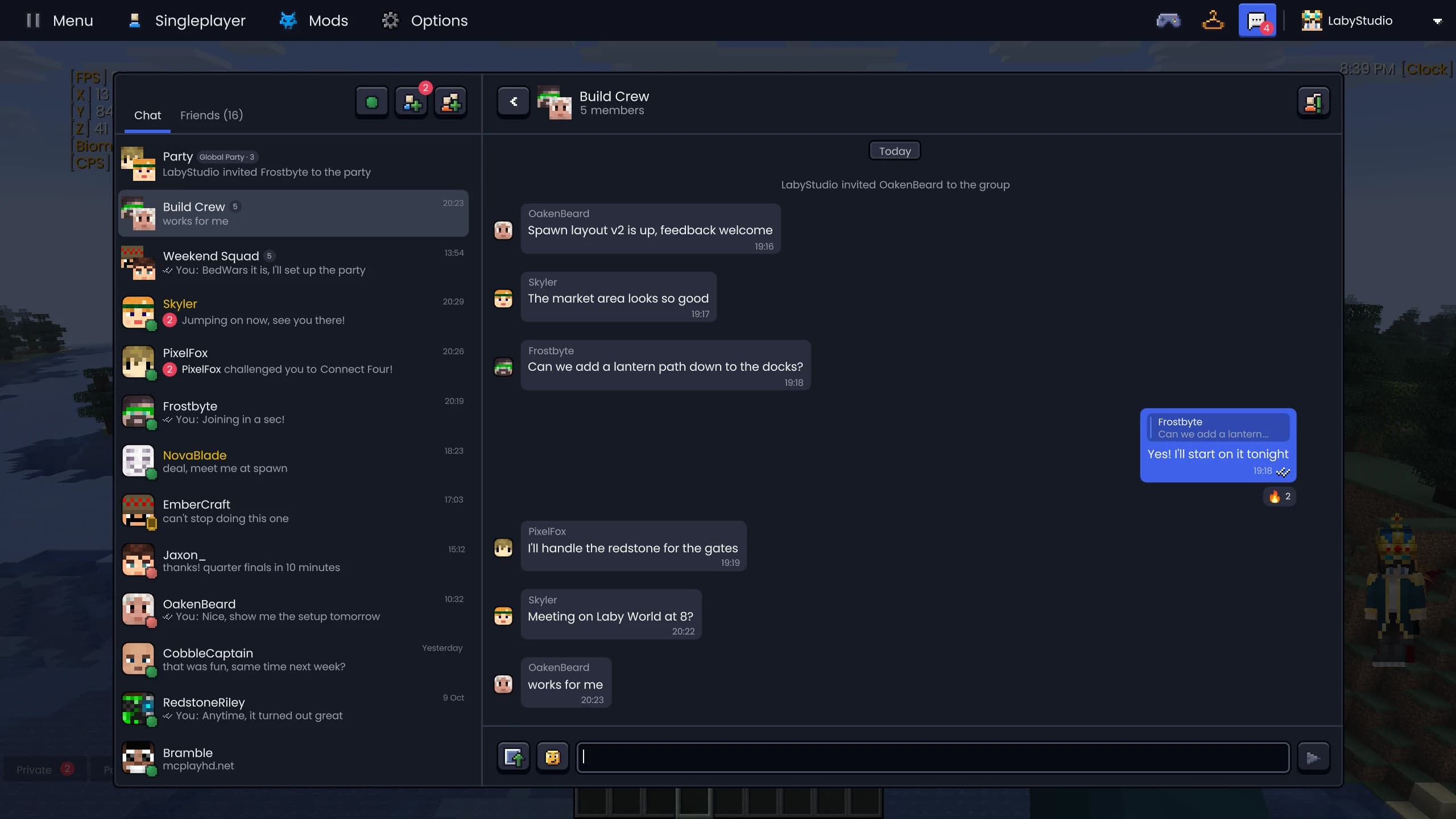
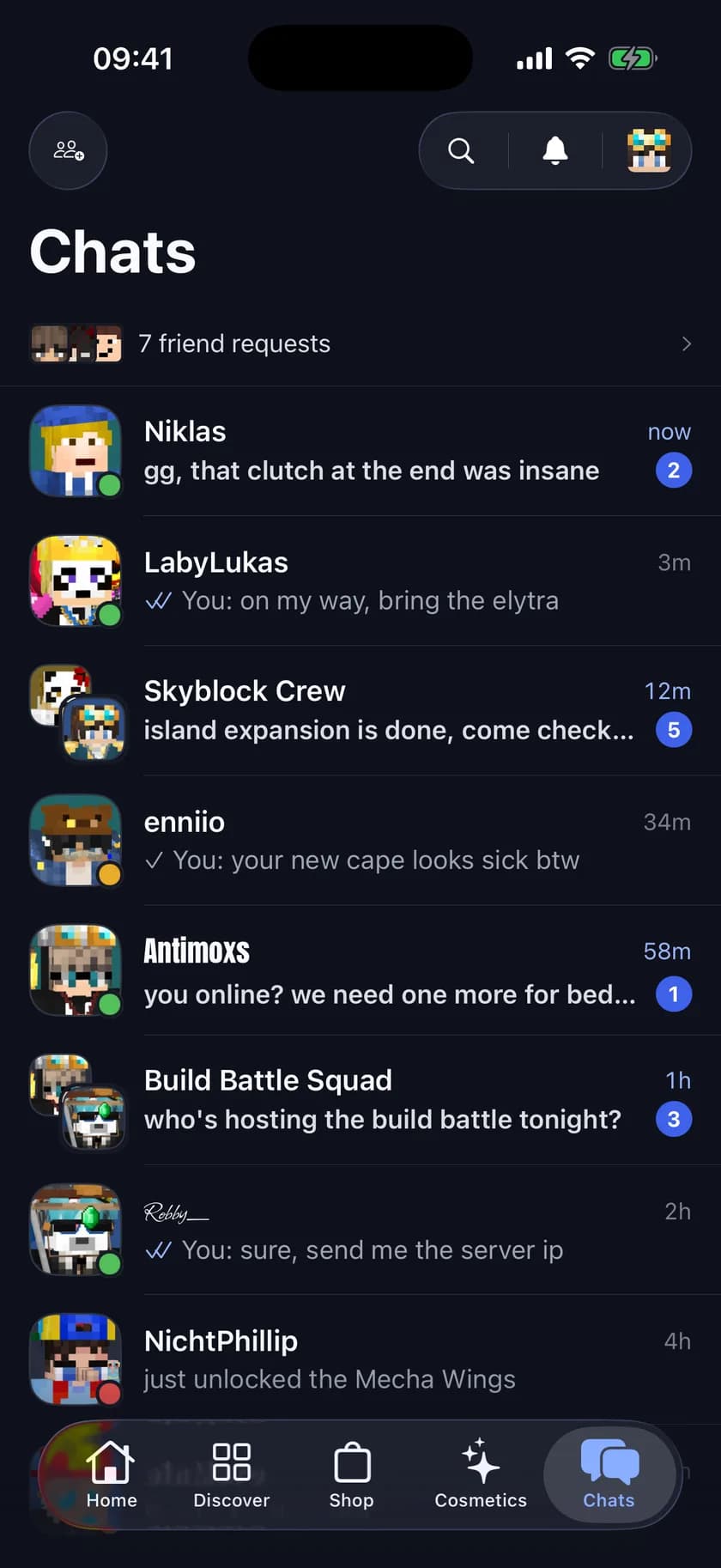
La Laby Chat nel Laby Launcher, in gioco e nell'app Laby.
Inizia in gioco, rispondi sull'autobus
La Laby Chat usa un'unica connessione per tutti i tuoi dispositivi. Un messaggio che invii in gioco arriva sul tuo telefono un attimo dopo, una reazione dall'app compare nel launcher, e quello che leggi su un dispositivo risulta letto su tutti.
- Laby Client, Laby Launcher, l'app per iOS e Android e laby.net
- Stato di lettura e messaggi non letti ti seguono
- Chat di gruppo e party su ogni dispositivo
- La tua lista amici è la stessa ovunque
La connessione che tiene sincronizzati i tuoi dispositivi permette anche agli altri giocatori di vedere le tue emote in gioco. Scrivi invece nella chat di un server Minecraft? Gli strumenti per la chat ci aggiungono Ctrl+F, schede e AutoText.
Laby Client
Chatta senza uscire dal gioco, con lo stesso design di laby.net e dell'app.
Laby Launcher
Riprendi la conversazione prima ancora di avviare Minecraft.
App Laby
Rispondi dal telefono, su iOS e Android.
laby.net
Tutta la chat nel browser, su qualsiasi computer.
Tutto quello che ti aspetti da una chat
La Laby Chat è stata ridisegnata per somigliare a laby.net e all'app: conferme di lettura, sei reazioni, risposte con citazione, GIF, emote ed emoji, immagini e chat di gruppo con avatar fatti con le facce dei tuoi amici.
- Conferme di lettura sui tuoi messaggi
- Reazioni: Like, Love, Haha, Wow, Triste e Fuoco
- Rispondi a qualsiasi messaggio citandolo
- GIF, emoji ed emote nel selettore
- Invia immagini
- Gruppi: rinomina, aggiungi membri, cedi la proprietà
Gli screenshot vanno direttamente dalla galleria degli screenshot alla chat di un amico.
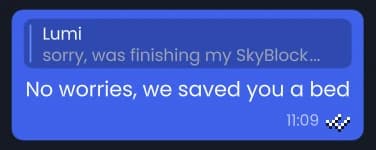
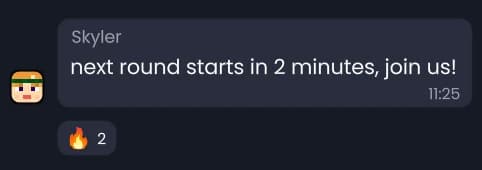
Nel client: chat di gruppo con le facce dei tuoi amici, risposte con citazione e reazioni.
La stessa chat nel Laby Launcher, con un'immagine, una reazione e una risposta.
Un party che ti segue ovunque
Avvia un party globale e i tuoi amici vengono con te: cambi server e ricevono una richiesta per seguirti, entrando da soli dopo dieci secondi. Apri il tuo mondo in giocatore singolo e viene condiviso con il party, così ti seguono anche lì. Il party ha la sua chat finché non finisce.
- Seguono in automatico dopo un conto alla rovescia di 10 secondi
- Anche nel tuo mondo in giocatore singolo
- Tu più 3 amici gratis, fino a 16 con Laby+
- Entra con un invito o con un codice come ABCD-EFGH
- Una chat del party tutta sua
Il tuo party può giocare anche nel tuo mondo in giocatore singolo: World Sharing lo apre per loro, senza bisogno di un server.
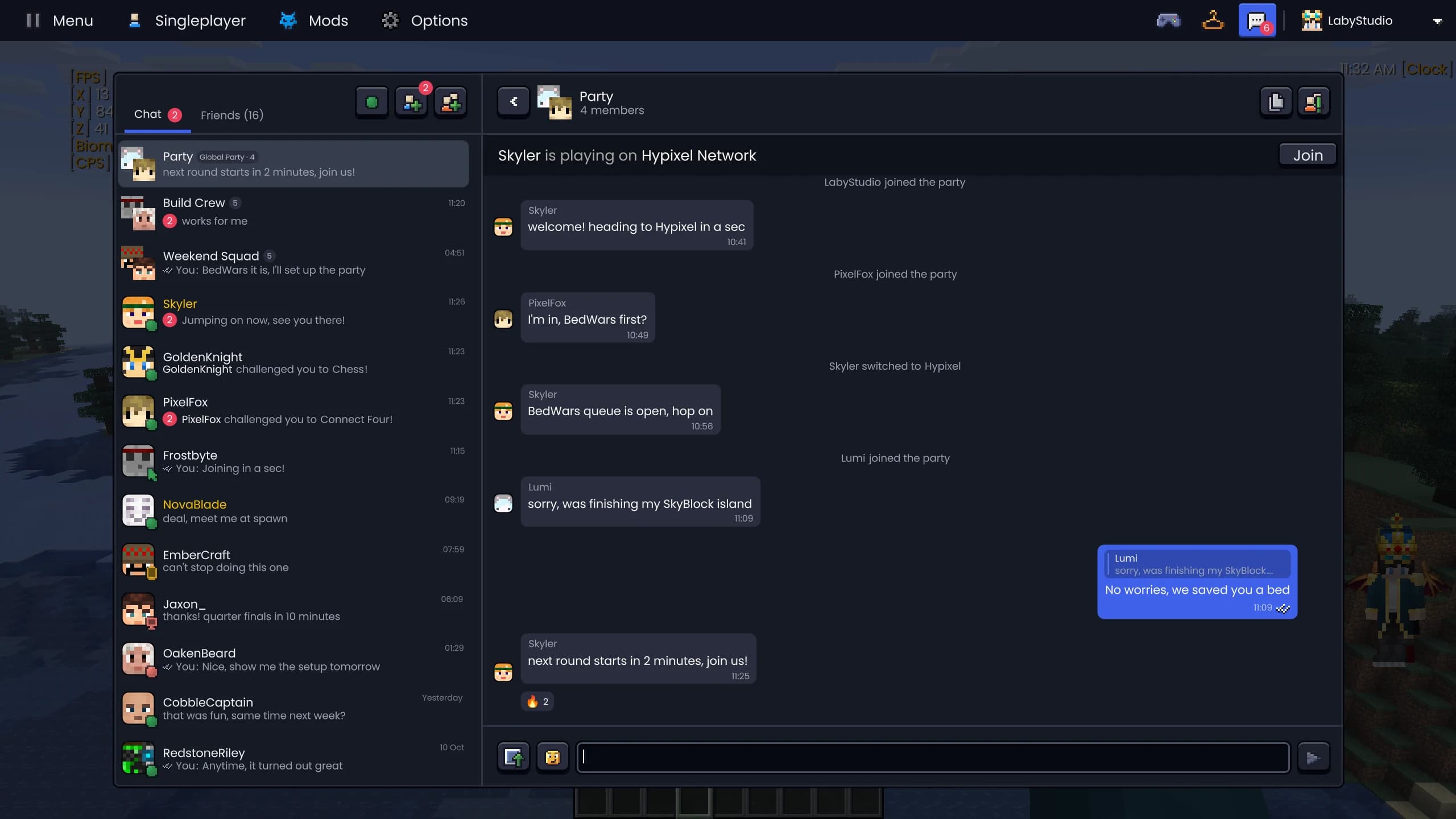
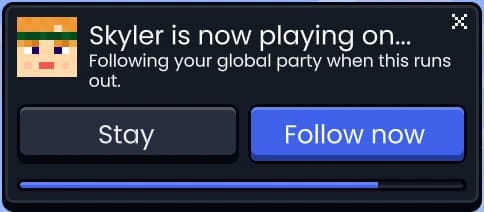
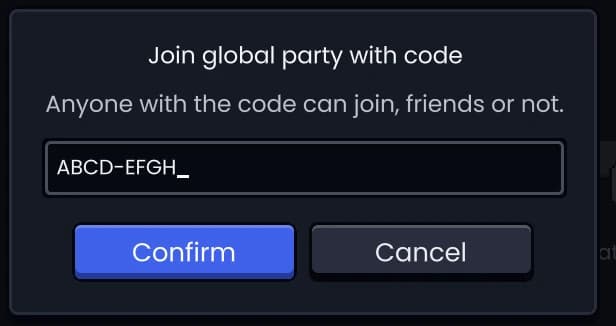
La chat del party nel client, la richiesta di seguire l'host e l'ingresso con un codice.
Inviti direttamente nella chat
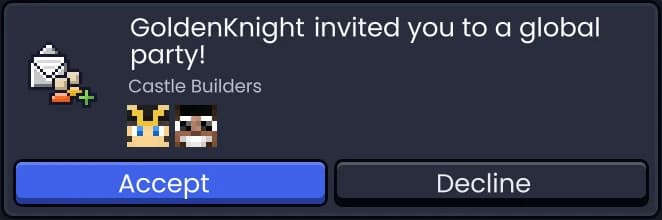
Gli inviti a party, mondi, server e minigiochi arrivano come schede nella conversazione. Accettali o rifiutali lì, vedi quando uno è scaduto o è stato ritirato, e se un invito non va a buon fine, la chat ti dice perché.
- Party, mondo in giocatore singolo, server locale, server e sfida
- In attesa, accettato, rifiutato, ritirato o scaduto
- Un invito non riuscito ti dice cosa è andato storto
Hai conosciuto qualcuno in gioco? Aggiungilo come amico dal menu di interazione con un clic centrale.
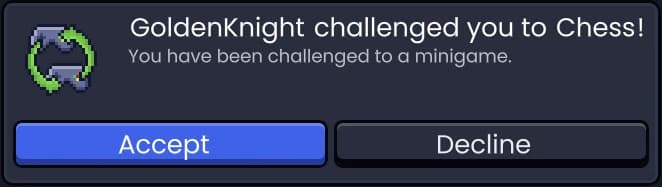
Dodici giochi, direttamente nella chat
Gioca da solo o sfida un amico, con giochi fatti di blocchi di Minecraft. Sei giochi in solitaria e sei sfide, con resa, proposta di patta e pulsante per la rivincita. Nessun amico online? Sfida il bot di allenamento.
- In solitaria: Snake, Tetris, 2048, Laby Bird, Stack, Breakout
- Sfide: Tris, Forza quattro, Reversi, Scacchi, Battaglia navale, Sasso carta forbici
- Contro un amico o il bot di allenamento
- Arrenditi, proponi la patta, chiedi la rivincita
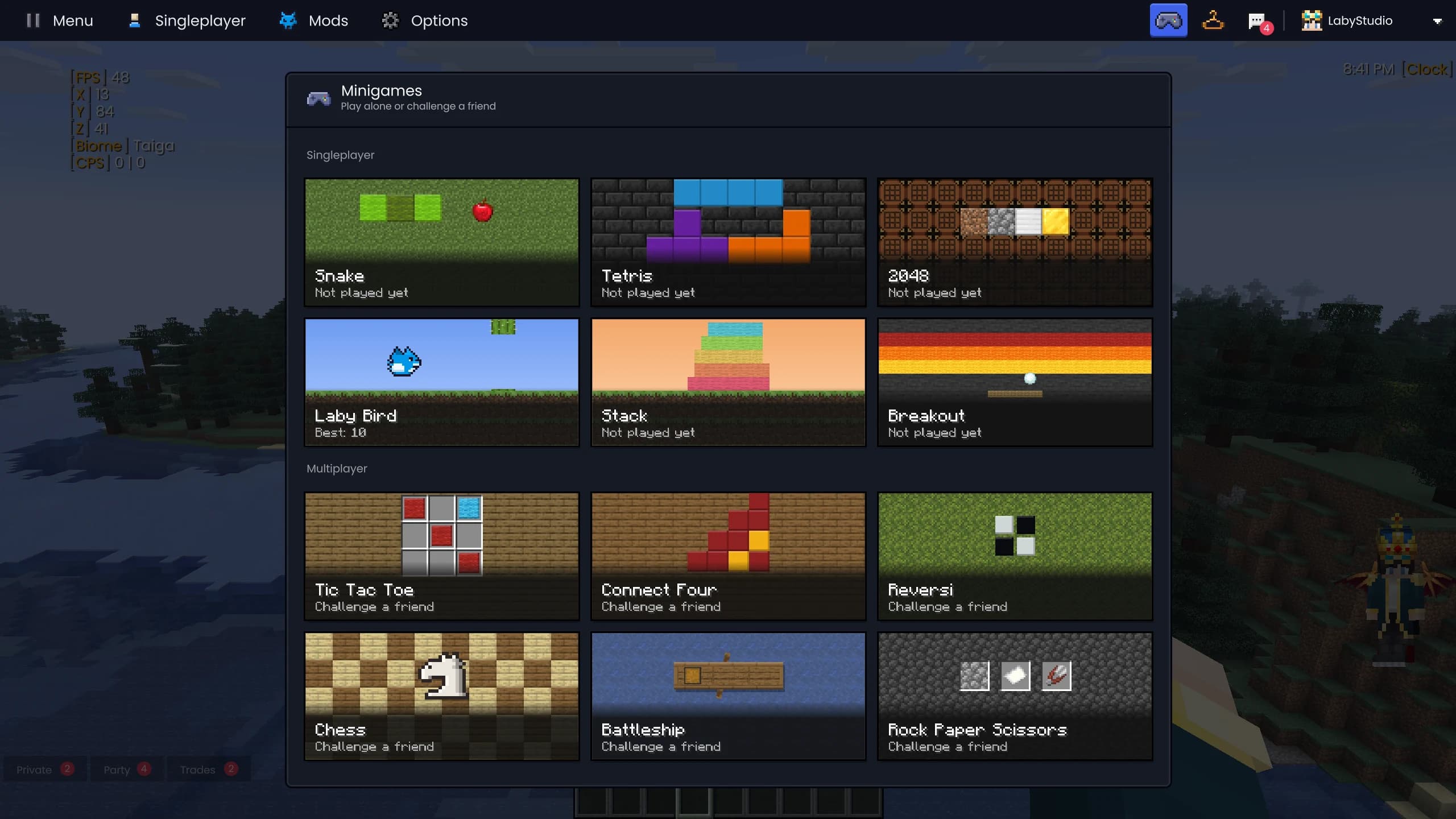
I minigiochi nel client: sei da giocare da solo, sei per sfidare un amico.
Snake
Tetris
2048
Laby Bird
Stack
Forza quattro
Domande e risposte
Posso chattare con i miei amici di Minecraft dal telefono?
Sì. La Laby Chat è la stessa chat nel Laby Client, nel Laby Launcher, nell'app Laby per iOS e Android e su laby.net. Messaggi, reazioni e conferme di lettura compaiono su ogni dispositivo.
I miei amici hanno bisogno del Laby Client per chattare con me?
Hanno bisogno di un account Laby. Possono chattare dal Laby Client, dal launcher, dall'app o da laby.net, quello che hanno a portata di mano.
Cos'è un party globale?
Un gruppo temporaneo i cui membri seguono l'host da un server all'altro, perfino nel suo mondo in giocatore singolo. Quando l'host cambia server, tutti ricevono una richiesta e lo seguono in automatico dopo dieci secondi. Il party ha la sua chat finché non finisce.
Quanti giocatori possono entrare in un party?
Un party ospita gratis l'host e tre amici. Con Laby+ arriva a 16 giocatori.
A quali giochi posso giocare nella chat?
Sei giochi in solitaria (Snake, Tetris, 2048, Laby Bird, Stack e Breakout) e sei sfide (Tris, Forza quattro, Reversi, Scacchi, Battaglia navale e Sasso carta forbici). Le sfide si giocano contro un amico o contro il bot di allenamento.
La Laby Chat è gratis?
Sì. Chat, gruppi, party e minigiochi sono gratis. Laby+ rende solo più grandi i party.
Altre mod per Minecraft nel Laby Client
Strumenti chat
Cerca nella chat con Ctrl+F, dividila in schede e filtri, invia AutoText con un tasto e scopri i vecchi nomi di qualsiasi giocatore.
Condividi il mondo
Apri il tuo mondo in giocatore singolo agli amici con un clic. Senza port forwarding, senza server, con modalità privacy, whitelist e segnalini.
Screenshot e clip
Una galleria per ogni screenshot: album per server e giocatore, ricerca per metadati, condivisione con un clic, panorami a 360° e clip automatiche delle tue clutch.
Emote e spray
Balla, saluta e fai il floss con la ruota delle emote, spruzza la tua arte sui muri e, con Laby+, gioca ogni giorno con nuove emote giornaliere.
Targhette e giocatori
Badge Laby e bandiere sulle targhette, la chat nei fumetti, un menu per ogni giocatore e una lista dei giocatori con le teste.
Mod Inventario
Cerca in ogni baule, sbircia nelle scatole di shulker, blocca gli slot e ricevi un avviso prima che l'equipaggiamento si rompa. 23 miglioramenti in una sola mod.
I tuoi amici sono già online.
Scarica il Laby Client e la chat è subito lì, in gioco, nel launcher e sul tuo telefono.
Gratis, ti basta il tuo account Minecraft. Tutte le mod sono già incluse.