Laby Chat, le chat entre amis MinecraftUn seul chat. En jeu, dans le launcher et l'appli.
Écris à tes amis pendant que tu joues, lis la réponse sur ton téléphone, reprends dans le launcher. Chaque message, réaction et accusé de lecture est partout, en même temps.
- Gratuit
- De Minecraft 1.8.9 à la dernière version
- Windows, macOS et Linux
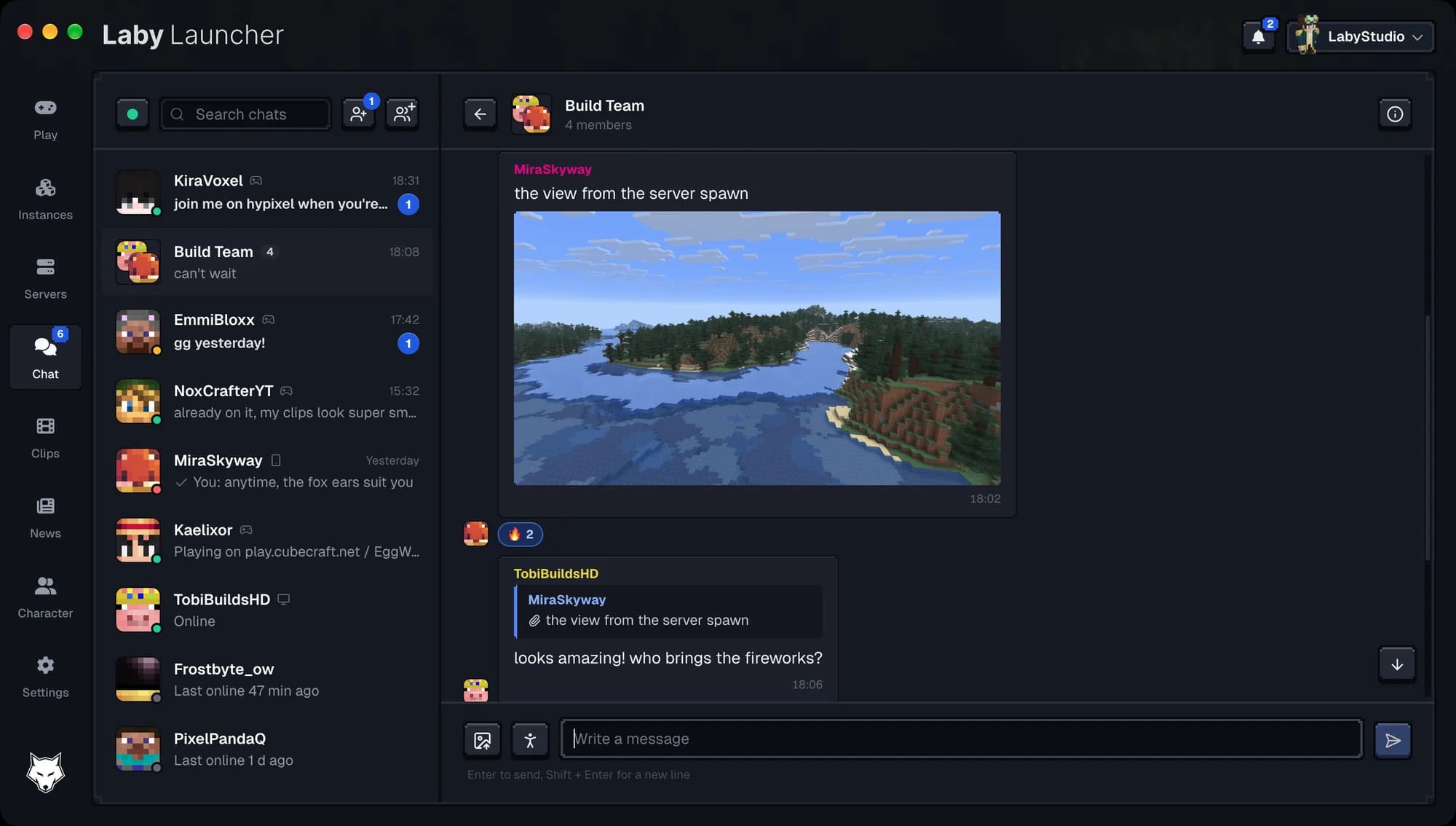
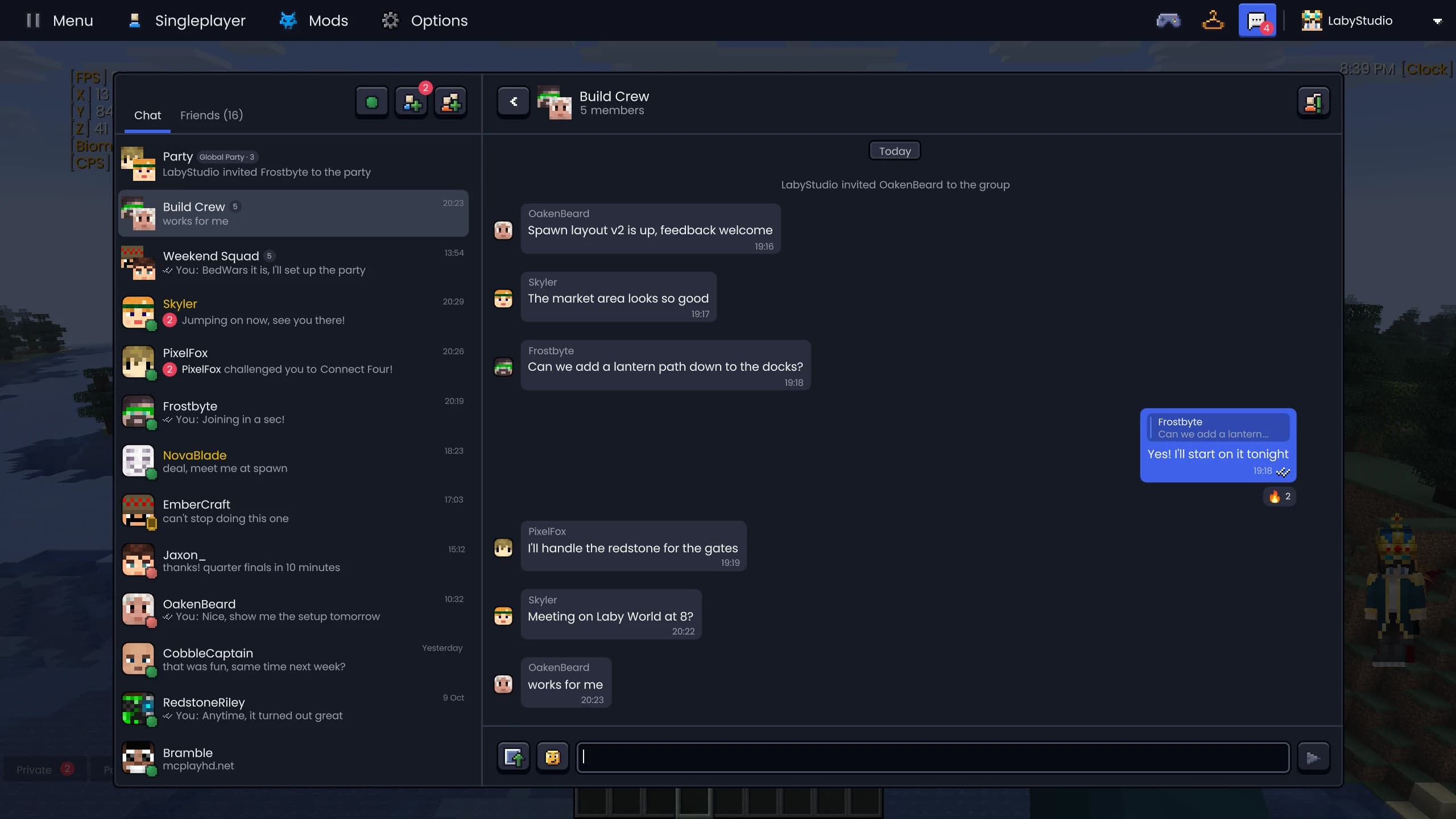
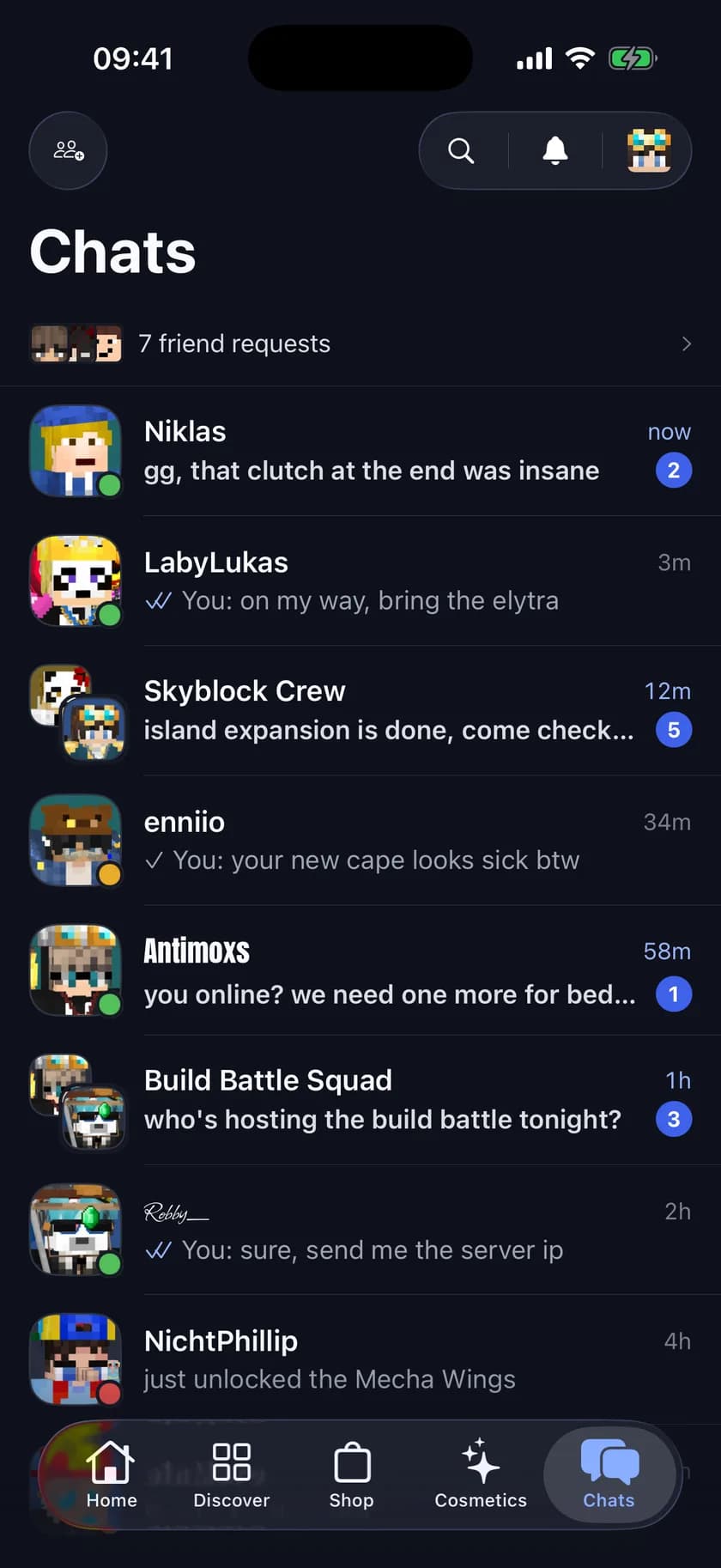
Le Laby Chat dans le Laby Launcher, en jeu et dans l'appli Laby.
Commence en jeu, réponds dans le bus
Laby Chat passe par une seule connexion pour tous tes appareils. Un message envoyé en jeu arrive sur ton téléphone un instant plus tard, une réaction depuis l'appli s'affiche dans le launcher, et ce que tu lis sur un appareil compte comme lu sur tous les autres.
- Laby Client, Laby Launcher, l'appli pour iOS et Android, et laby.net
- Le statut de lecture et les messages non lus te suivent
- Discussions de groupe et party sur chaque appareil
- Ta liste d'amis est la même partout
La connexion qui synchronise tes appareils permet aussi aux autres joueurs de voir tes emotes en jeu. Tu écris plutôt dans le chat d'un serveur Minecraft ? Les outils de chat y ajoutent Ctrl+F, des onglets et AutoText.
Laby Client
Discute sans quitter le jeu, avec le design de laby.net et de l'appli.
Laby Launcher
Reprends la conversation avant même de lancer Minecraft.
Appli Laby
Réponds depuis ton téléphone, sur iOS et Android.
laby.net
Tout le chat dans ton navigateur, sur n'importe quel ordinateur.
Tout ce que tu attends d'un chat
Le Laby Chat a été repensé pour coller à laby.net et à l'appli : accusés de lecture, six réactions, réponses avec citation, GIF, emotes et emoji, images et discussions de groupe avec des avatars faits des têtes de tes amis.
- Accusés de lecture sur tes propres messages
- Réactions : Like, Love, Haha, Wow, Triste et Feu
- Réponds à n'importe quel message avec une citation
- GIF, emoji et emotes dans le sélecteur
- Envoie des images
- Groupes : renommer, ajouter des membres, transférer la propriété
Les captures d'écran partent directement de la galerie de captures vers le chat d'un ami.
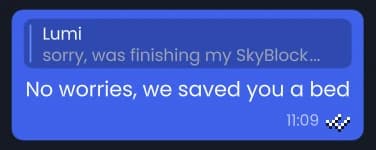
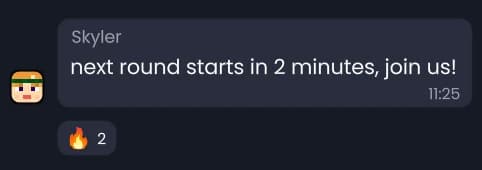
Dans le client : discussions de groupe avec les têtes de tes amis, réponses avec citation et réactions.
Le même chat dans le Laby Launcher, avec une image, une réaction et une réponse.
Une party qui te suit partout
Lance une party globale et tes amis viennent avec toi : change de serveur et ils reçoivent une demande pour te suivre, puis te rejoignent tout seuls au bout de dix secondes. Ouvre ton monde solo et il est partagé avec la party, alors ils te suivent aussi là-bas. La party a son propre chat jusqu'à ce qu'elle se termine.
- Suivi automatique après un compte à rebours de 10 secondes
- Jusque dans ton monde solo
- Toi et 3 amis gratuitement, jusqu'à 16 avec Laby+
- Rejoins sur invitation ou avec un code comme ABCD-EFGH
- Son propre chat de party
Ta party peut aussi jouer dans ton monde solo : le partage de monde l'ouvre pour eux, sans serveur.
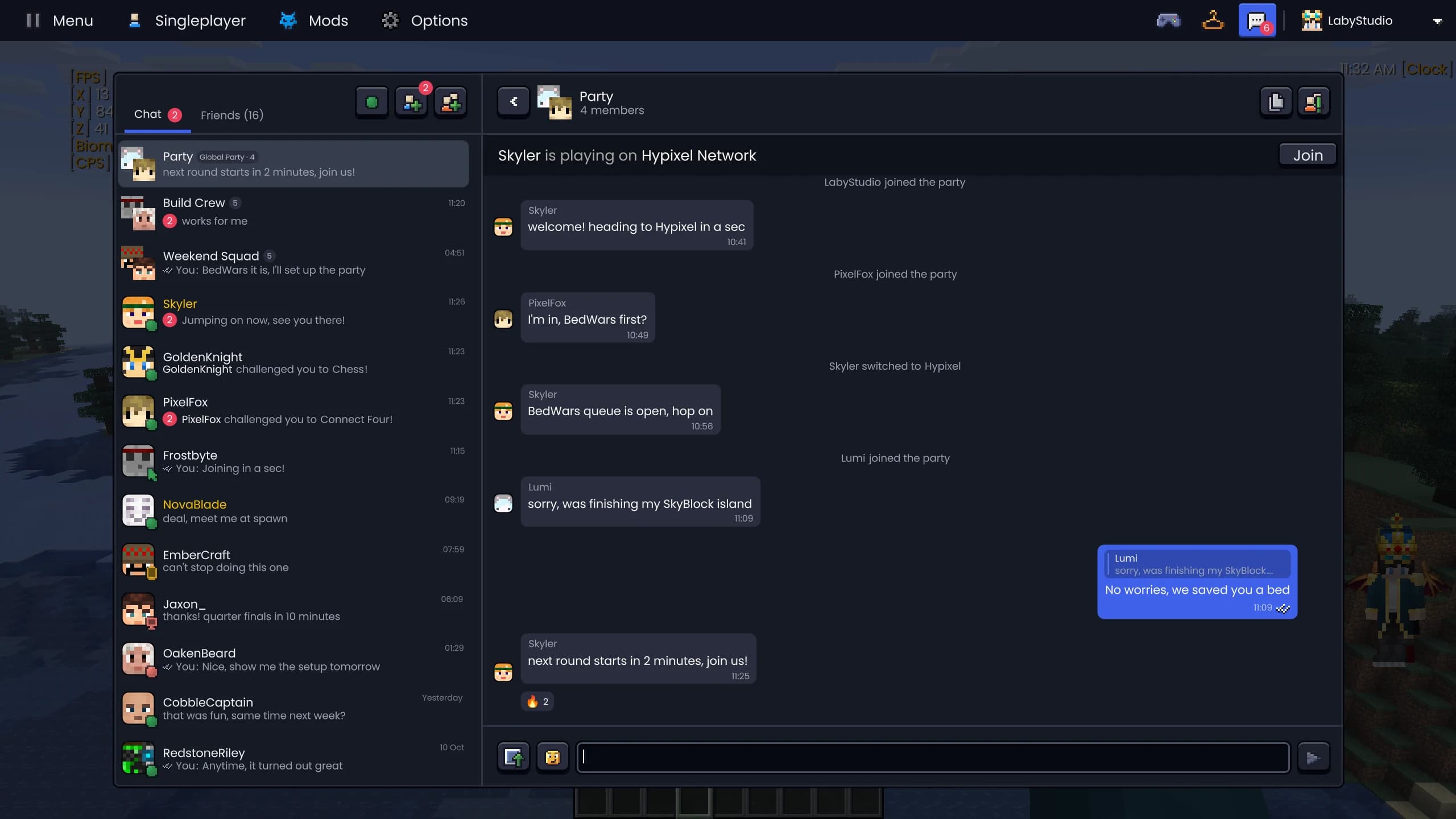
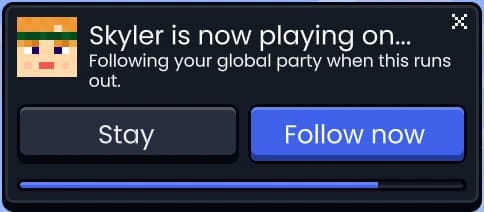
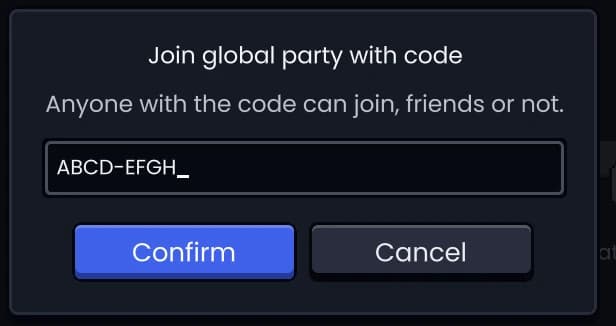
Le chat de party dans le client, la demande pour suivre l'hôte et l'arrivée avec un code.
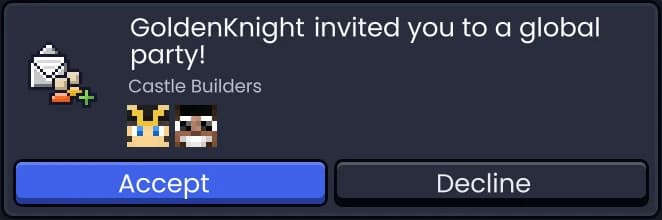
Les invitations, directement dans le chat
Les invitations en party, dans un monde, sur un serveur ou à un mini-jeu arrivent sous forme de cartes dans la conversation. Accepte-les ou refuse-les sur place, vois quand une invitation a expiré ou a été retirée, et si une invitation échoue, le chat te dit pourquoi.
- Party, monde solo, serveur local, serveur et duel
- En attente, acceptée, refusée, retirée ou expirée
- Une invitation qui échoue explique ce qui s'est mal passé
Tu as rencontré quelqu'un en jeu ? Ajoute-le en ami depuis le menu d'interaction avec un clic molette.
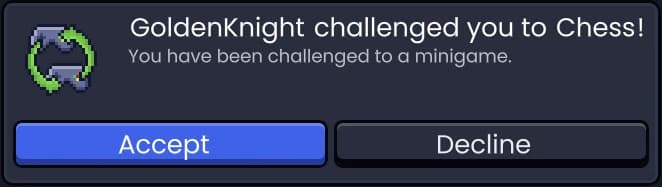
Douze jeux, directement dans le chat
Joue en solo ou défie un ami, dans des jeux faits de blocs Minecraft. Six jeux solo et six duels, avec abandon, proposition de match nul et bouton de revanche. Aucun ami en ligne ? Affronte le bot d'entraînement.
- Solo : Snake, Tetris, 2048, Laby Bird, Stack, Casse-briques
- Duels : Morpion, Puissance 4, Reversi, Échecs, Bataille navale, Pierre-feuille-ciseaux
- Contre un ami ou le bot d'entraînement
- Abandonner, proposer un match nul, revanche
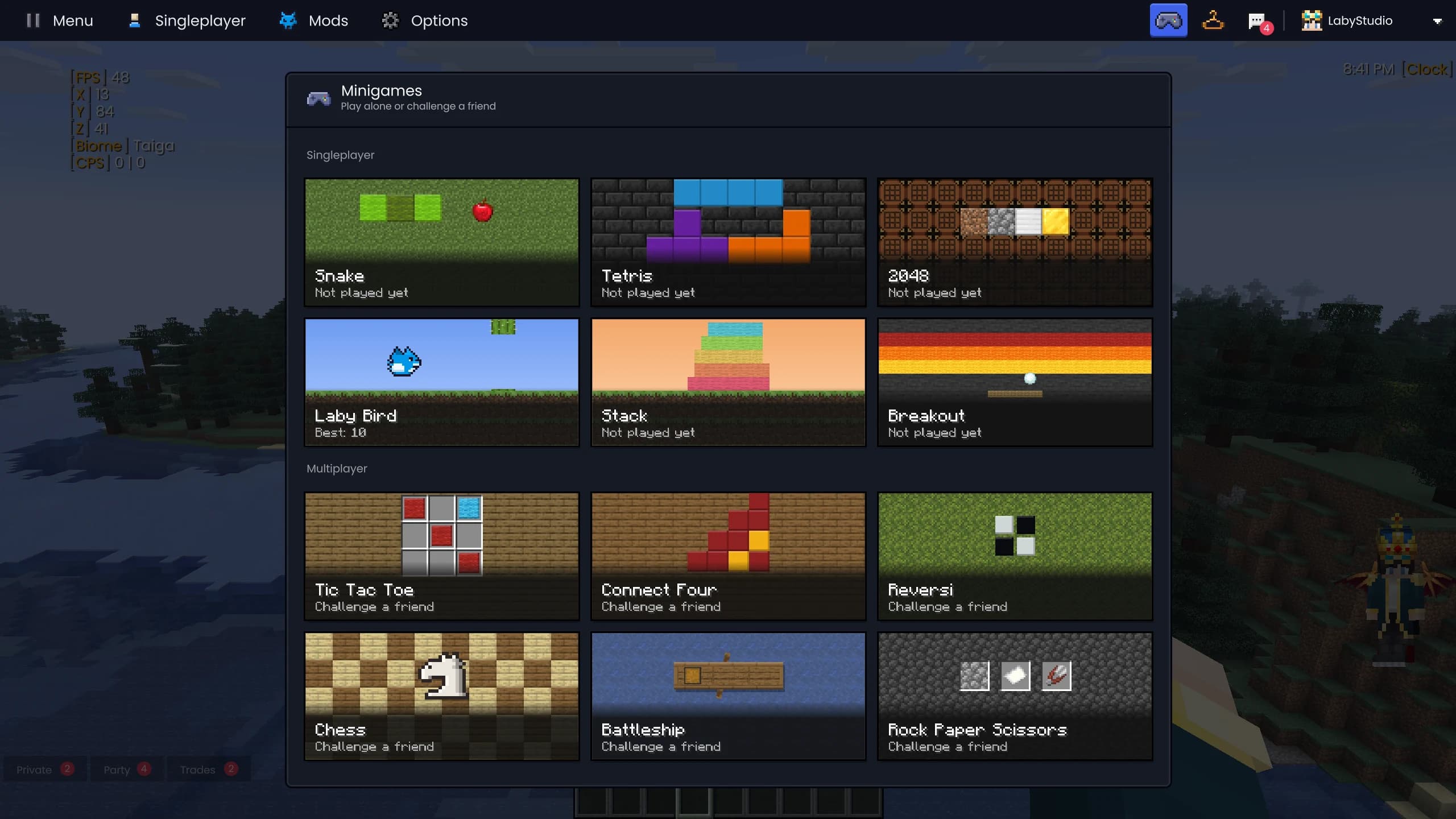
Les mini-jeux dans le client : six pour jouer seul, six pour défier un ami.
Snake
Tetris
2048
Laby Bird
Stack
Puissance 4
Questions et réponses
Est-ce que je peux discuter avec mes amis Minecraft sur mon téléphone ?
Oui. Laby Chat est le même chat dans le Laby Client, le Laby Launcher, l'appli Laby pour iOS et Android et sur laby.net. Les messages, réactions et accusés de lecture s'affichent sur tous tes appareils.
Mes amis ont-ils besoin du Laby Client pour discuter avec moi ?
Il leur faut un compte Laby. Ils peuvent discuter depuis le Laby Client, le launcher, l'appli ou laby.net, selon ce qu'ils ont sous la main.
C'est quoi, une party globale ?
Un groupe temporaire dont les membres suivent l'hôte de serveur en serveur, jusque dans son monde solo. Quand l'hôte change de serveur, tout le monde reçoit une demande et suit automatiquement au bout de dix secondes. La party a son propre chat jusqu'à ce qu'elle se termine.
Combien de joueurs peuvent rejoindre une party ?
Une party accueille gratuitement l'hôte et trois amis. Avec Laby+, elle monte jusqu'à 16 joueurs.
À quels jeux est-ce que je peux jouer dans le chat ?
Six jeux solo (Snake, Tetris, 2048, Laby Bird, Stack et Casse-briques) et six duels (Morpion, Puissance 4, Reversi, Échecs, Bataille navale et Pierre-feuille-ciseaux). Les duels se jouent contre un ami ou contre le bot d'entraînement.
Laby Chat est-il gratuit ?
Oui. Le chat, les groupes, la party et les mini-jeux sont gratuits. Laby+ permet seulement d'avoir une party plus grande.
Plus de mods Minecraft dans le Laby Client
Outils de chat
Cherche dans le chat avec Ctrl+F, range-le en onglets et filtres, envoie de l'AutoText d'une seule touche et retrouve les anciens pseudos de n'importe quel joueur.
Partage de monde
Ouvre ton monde solo à tes amis en un clic. Sans redirection de ports, sans serveur, avec des modes de confidentialité, une liste blanche et des marqueurs.
Captures d'écran & clips
Une galerie pour toutes tes captures : albums par serveur et par joueur, recherche par métadonnées, partage en un clic, panoramas à 360° et clips de clutch automatiques.
Emotes & sprays
Danse, salue et fais le floss avec la roue des emotes, graffe tes œuvres sur les murs et, avec Laby+, joue chaque jour de nouvelles emotes.
Nametags & joueurs
Badges Laby et drapeaux sur les nametags, le chat dans des bulles, un menu pour chaque joueur et une liste Tab avec les têtes.
Mod d'inventaire
Fouille chaque coffre, jette un œil dans les boîtes de Shulker, verrouille des slots et sois prévenu avant que ton équipement ne casse. 23 améliorations dans un seul mod.
Tes amis sont déjà en ligne.
Télécharge le Laby Client et le chat est là, en jeu, dans le launcher et sur ton téléphone.
Gratuit, ton compte Minecraft suffit. Tous les mods sont déjà dedans.