A smarter player list, the AFK Camera and chat tabs in a few clicks
New in Laby Client: a player list with Interactive Mode, the AFK Camera, a chat tab wizard, your own font everywhere and new windows for Vanilla.
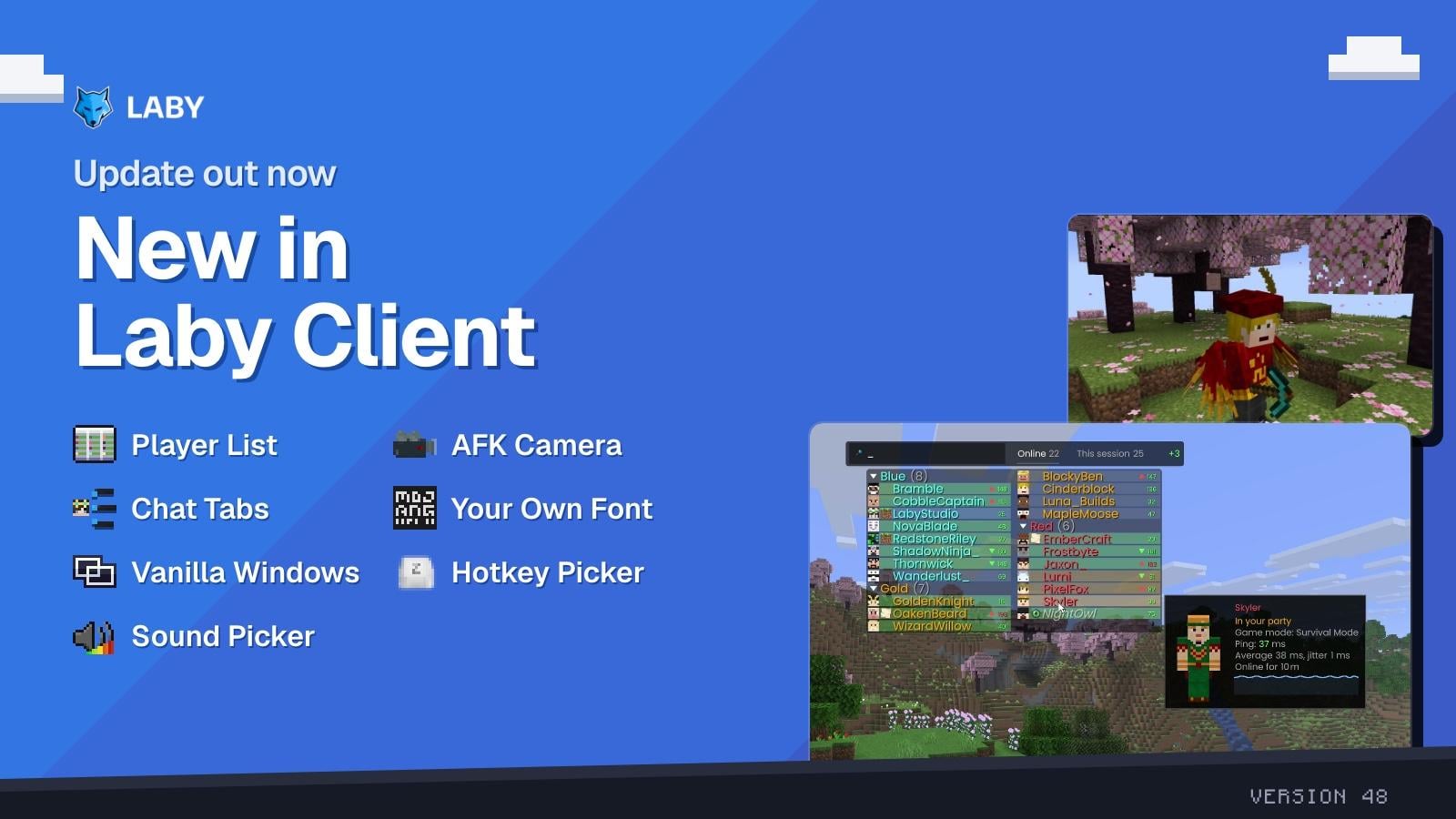
The new Laby Client update is out. This one is all about the things you look at every few seconds while you play: the player list, the chat and the text on your screen. On top of that, your game turns into a movie when you step away from the keyboard.
A player list that does more
The player list on Tab got a whole set of new options. Group players by team, put your friends first, highlight yourself, your friends and your party, and see who just joined or left. A ping trend shows whose connection is getting worse, game mode icons show who is in creative or spectator, and a server info line shows the server, your ping and how long you have been playing.
Teams, a player card, pinning a player and searching the list in Interactive Mode
The biggest change is Interactive Mode. While the list is open, press the Interactive Mode Key (right click by default) and the list becomes something you can use:
- Search the list by name
- Click a player to pin them to the top, send them a message, open them in Laby Chat, copy their UUID, or hide them or their cosmetics
- Player card: rest on a player to see their skin, ping with a small graph, game mode and how long they have been online
- This session: see everyone who was on the server since you joined, including the players who already left
Tall player lists now spread over more columns, so they always fit on the screen. You can also set the scale, position, row spacing, corner roundness, opacity and animations, and pick your own colors for the header and footer. All new options are off by default, so you switch on exactly what you want.
AFK Camera
Step away from the keyboard and your game turns into a movie. After a while without input, the AFK Camera films your player from different angles, with cinema bars and slow camera moves. Touch any key and the view is yours again.
The AFK Camera takes over while you are away
The AFK Camera is off by default. Servers can turn it off, and it stays off on Hypixel. The Zoom mod also got Cinema Bars that slide in while you zoom. More about the AFK Camera.
Chat tabs in a few clicks
Setting up a chat tab used to mean digging through filter rules. Now the New tab wizard does it with you. It looks at your recent chat and suggests tabs right away, like a tab for your party, for the messages that mention you or for the player who writes the most. Or you build one yourself from building blocks:
- Mentions of me, From a player, Laby friends and Contains a word
- Channel tag for messages that start with something like [Party]
- Players only or Server messages to split players from the server
- Whole chat, or a Custom rule that mixes words, players and more
While you set it up, a live preview shows which of your recent messages the tab would collect. You can also highlight matching messages in a color or play a sound. A new or changed tab also sorts in the messages that are already in your chat, so it is never empty.
A tab for two friends, built with the From a player block and its live preview
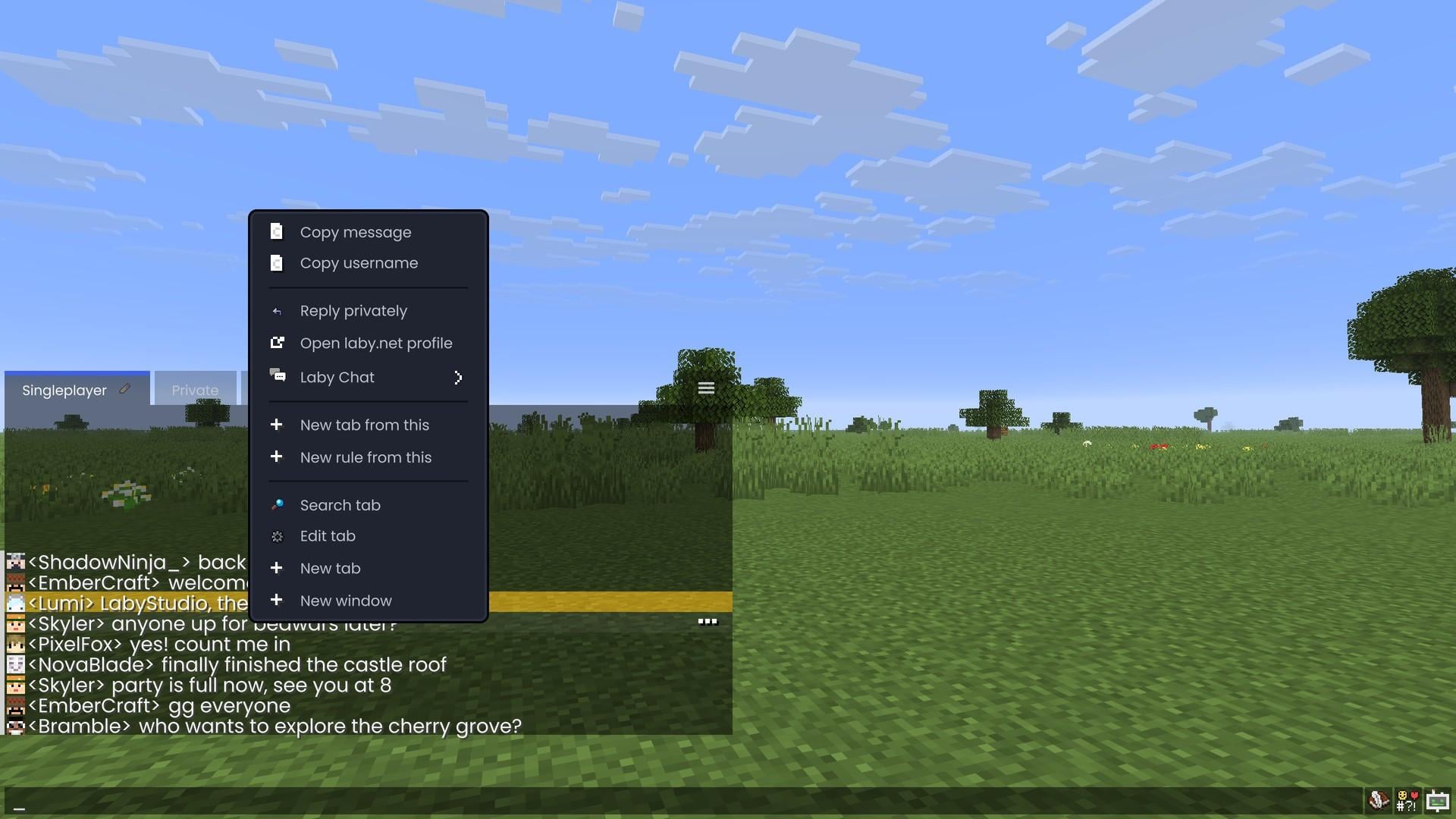
Every chat message has a menu now. Hover a message and click "..." or right click it to copy the message, the username or a link, reply privately, open the laby.net profile, add the sender as a Laby friend or start a new tab or rule from it. And with Player card switched on under Ingame Chat, hovering a sender's name shows their card right in the chat.
Your own font, everywhere
The custom font now also draws Minecraft's own text, on every Minecraft version. Pick any font installed on your PC, or load your own .ttf, .otf or .ttc file under Appearance > Font > Your Own Font. The font list shows every font name in its own font and can be searched, so you see what you get before you pick it.
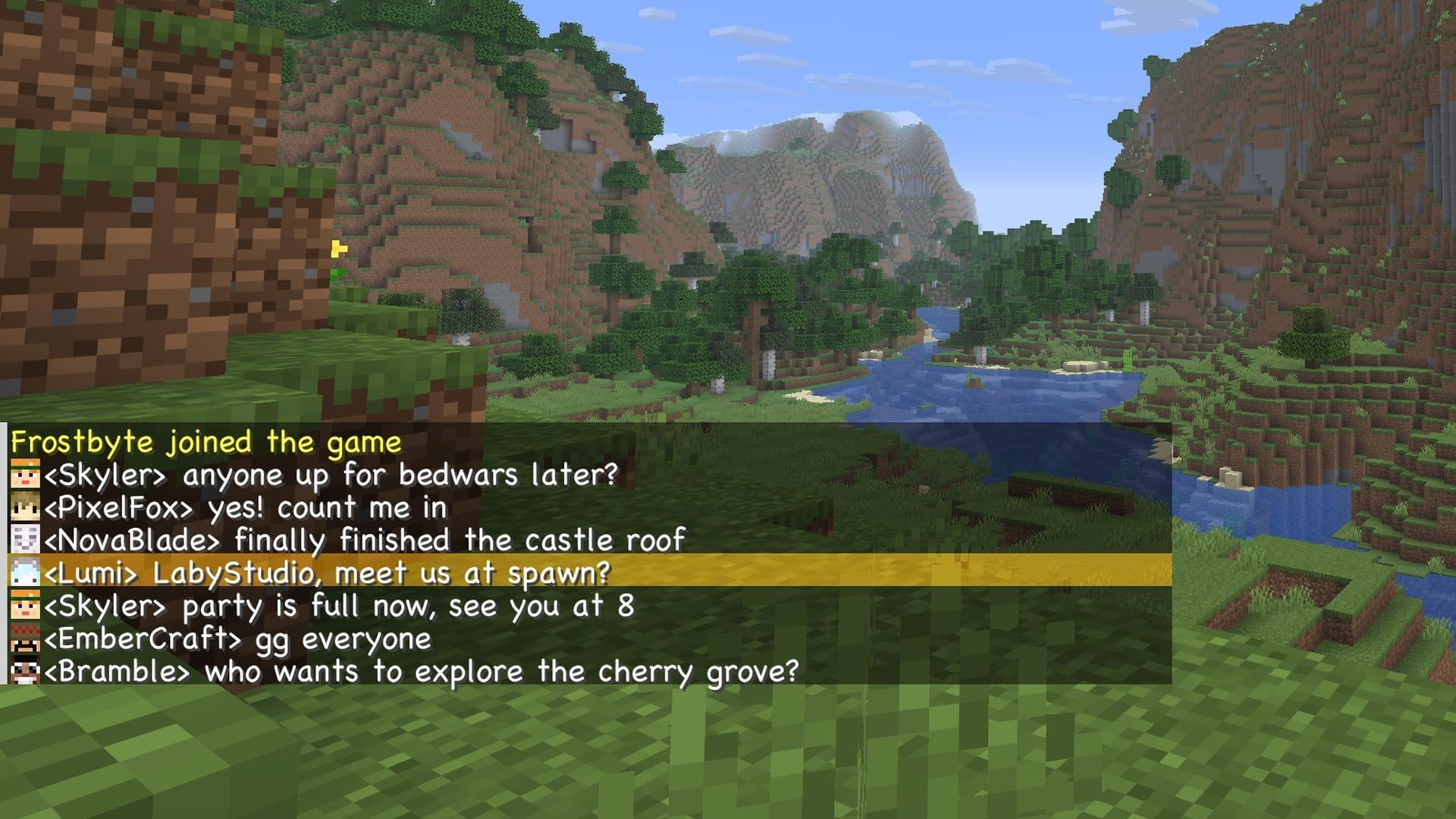
Glyphs from resource packs keep their look. Turn on In Every Theme to use your font in the Vanilla theme too, or turn off Ingame Custom Font to keep Minecraft's font in game.
Minecraft windows for the Vanilla theme
If you play with the Vanilla theme, the Laby menus now look like they belong in the game. The mods menu, the wardrobe, minigames, Laby Chat, the server directory, screenshots, the Laby Commander and more sit in windows like the game's own dark popups.
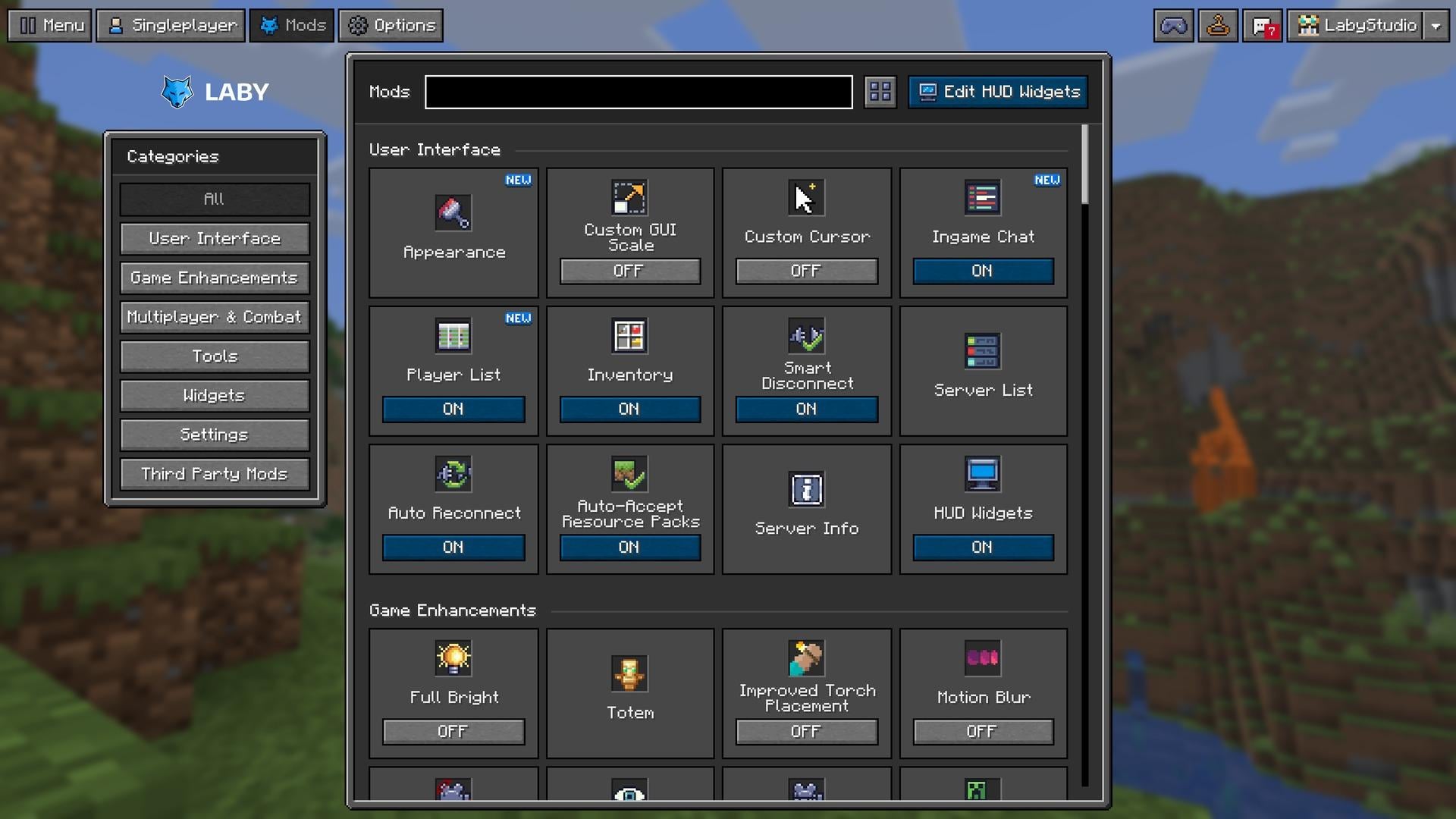
With Window Colors you pick the frame, background and accent color of these windows, or use the Dark or Light preset. Resource packs can replace their cards, and in Minecraft 1.19.4 and newer the multiplayer and wardrobe tabs use the game's own tab textures.
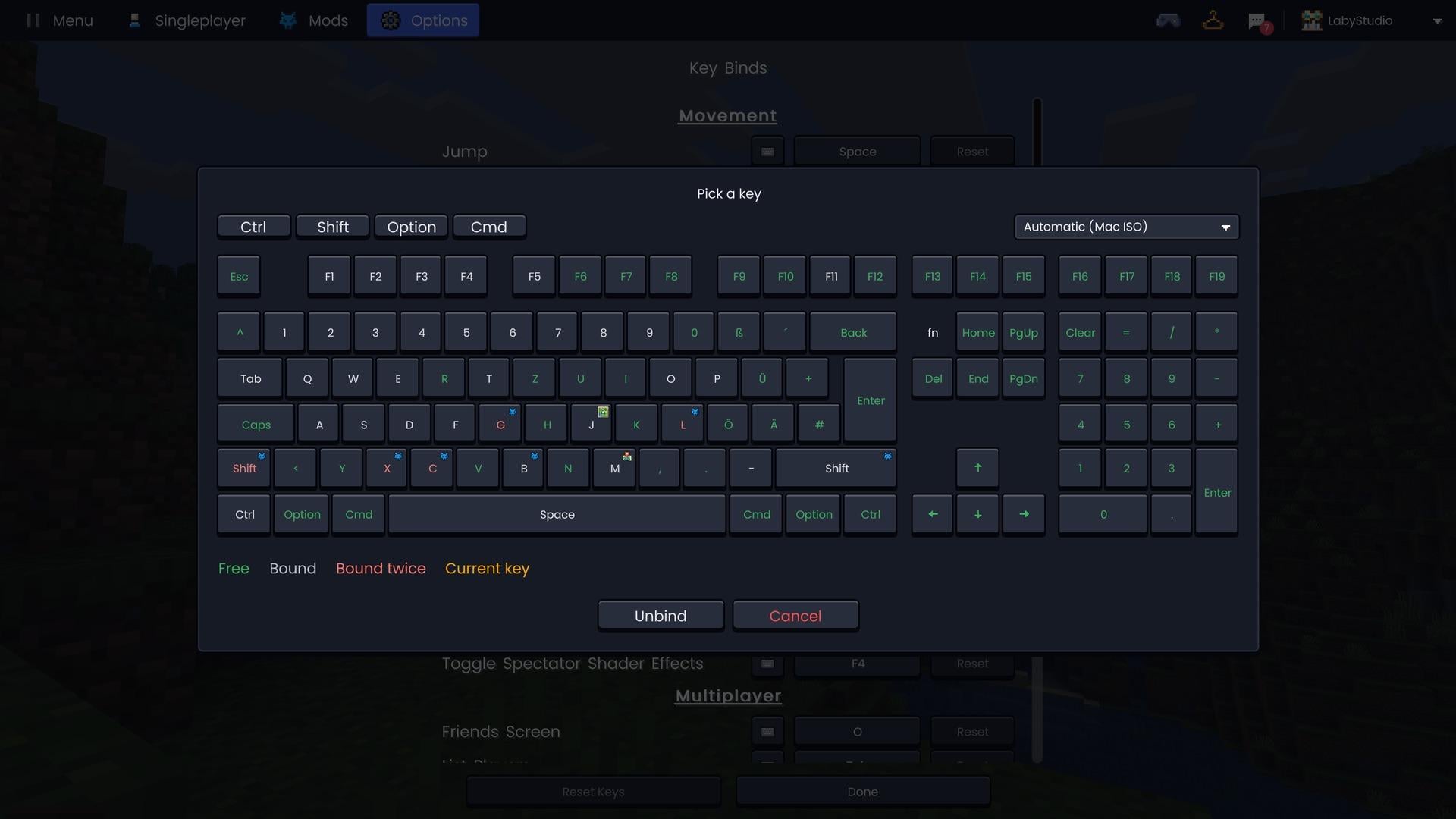
Pick hotkeys on a keyboard
No more guessing which key is still free. Setting a hotkey now opens a keyboard that shows every free key and what each taken key is already bound to. It supports key combinations and ISO, ANSI and other keyboard layouts, and Minecraft's key binds screen has a keyboard button next to every key bind too.
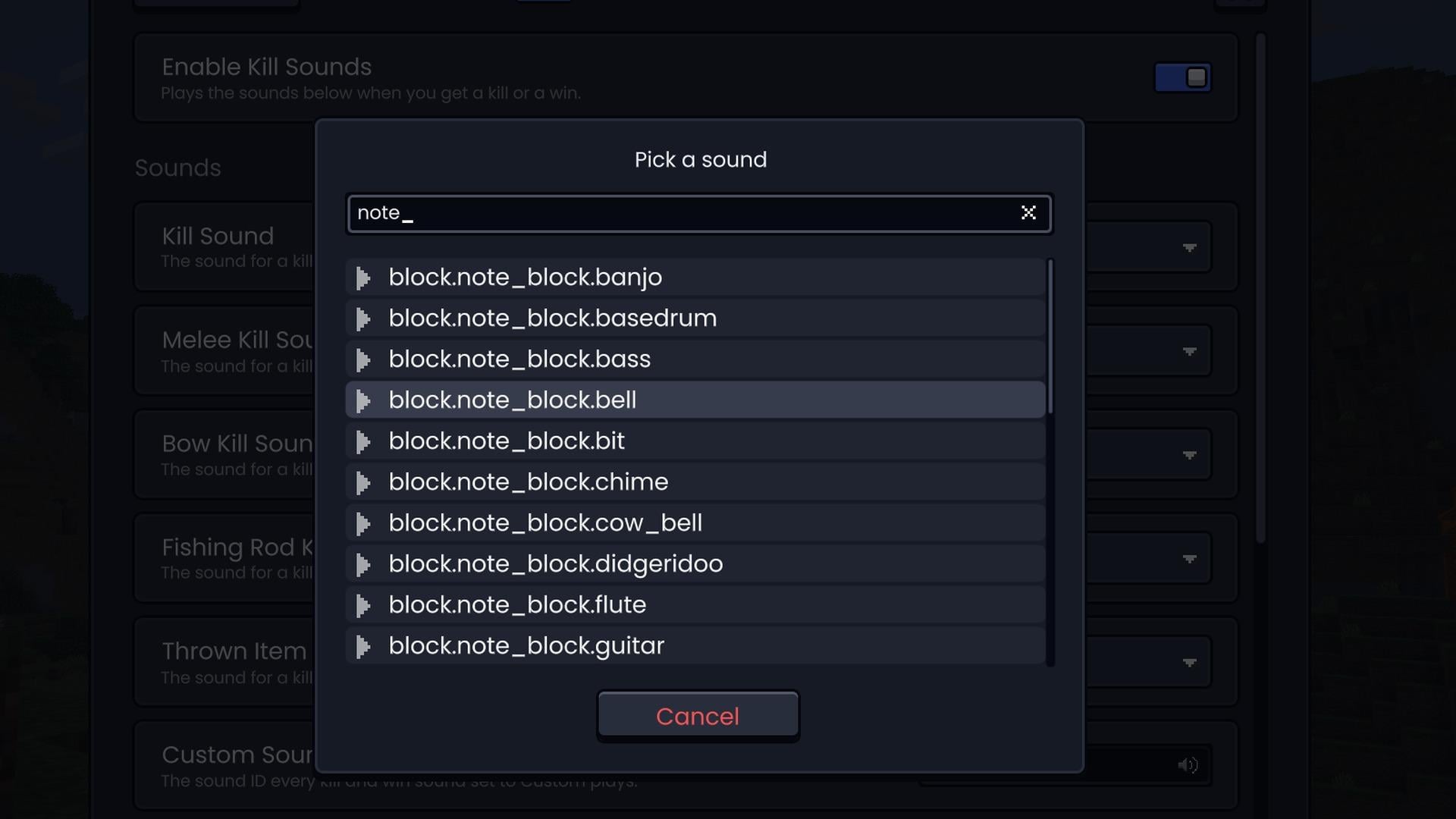
Find the right sound
Kill Sounds, Hit Markers and Shields now come with a sound picker. Search every sound of the game and of your resource packs, and listen to it before you pick it.
More in this update
- Accent color: pick an accent color for the Laby theme. The highlighted buttons and the sky behind the menus follow it
- Outfits: wearing an outfit now also puts on its cape, and its skin goes on right away. The wardrobe previews the outfit's skin and cape on your player
- Skin changes without a restart: skins and capes you change in the launcher or on the Minecraft website show up in game right away
- Settings saved right away: settings are saved shortly after you change them, so they are no longer lost when the game closes unexpectedly
- Show Own Name: a new Respect Vanilla mode hides your name when your team on the server hides name tags
- Swipe to go back on macOS: swipe right with two fingers on the trackpad to go back in the menus
- 78 bug fixes, from crashes on startup to the Paper Doll widget, shader artifacts and Laby Chat
You can find the full list in the changelog.
Get the update
Version 48 is available now. Start the Laby Launcher and it updates the client automatically. Don't have it yet? Download Laby Client here and jump right in.
Found a bug or have an idea? Tell us on our feedback platform. Many of the changes in this update started there.
Palavras-chave
Leia a seguir
 Laby
LabyHalloween Season 2026 | New Cosmetics & Mimic Lootbox Event
Halloween has arrived at Laby! Discover new Halloween cosmetics and earn free Mimic Lootboxes with a chance to unlock an exclusive permanent Mimic Pet!
 Laby
LabyLabyMod is now Laby Client - a new name and a new look
LabyMod is now Laby Client: a new Laby theme, the Laby Commander, a new chat with parties and minigames, and new mods for PvP, your inventory and visuals.
 Laby
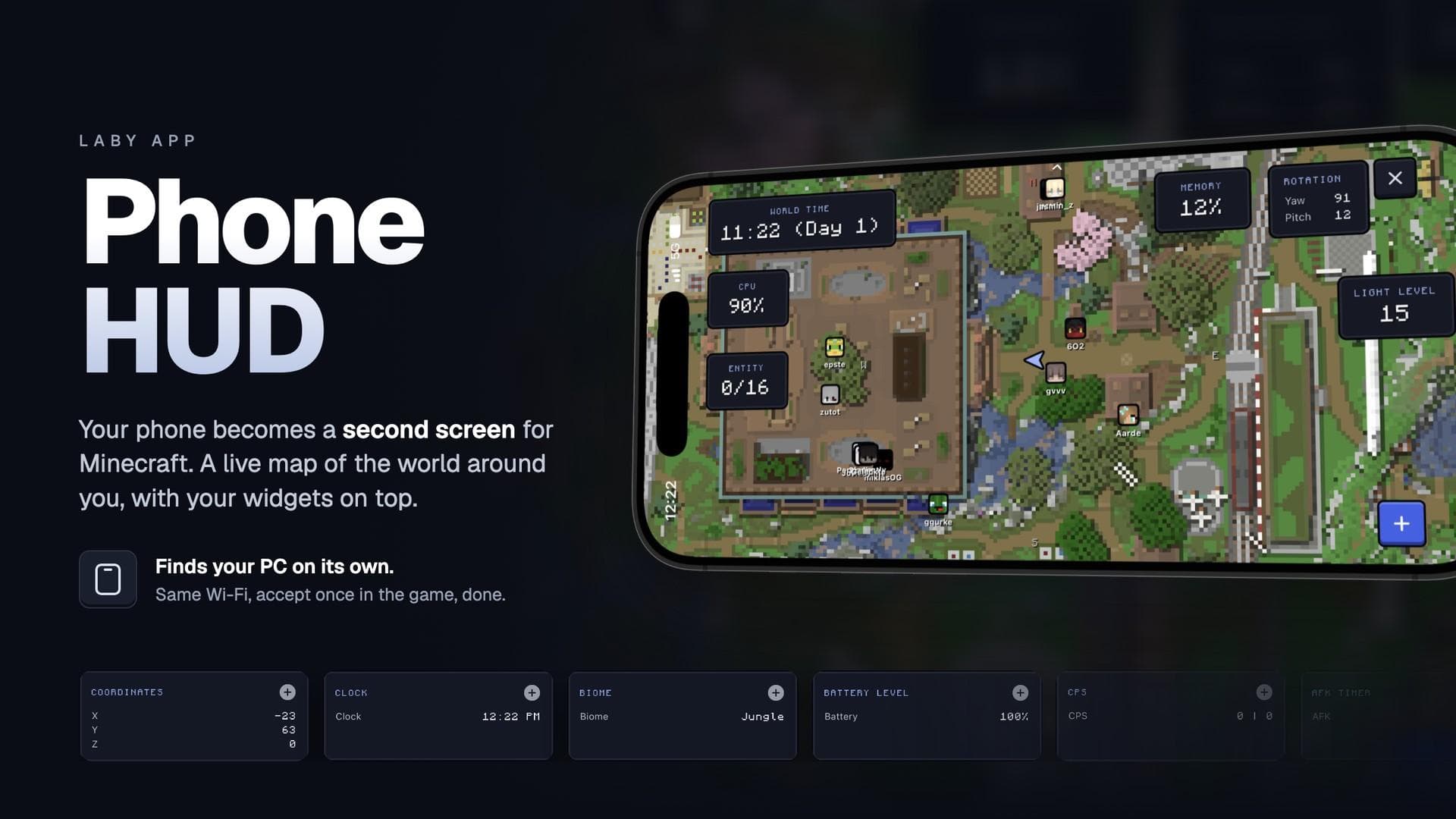
LabyYour phone as a second screen - The Phone HUD in the Laby App
The Laby App turns your phone into a second screen for LabyMod, with a live map and your HUD widgets right next to the game.
Comentários (0)