Minecraft just got real keys:Laby for Elgato Stream Deck
LabyMod and your Laby.net account on physical keys: voice chat mute, hotkeys, screenshots, emotes, friends, outfits and dials for FOV and brightness.
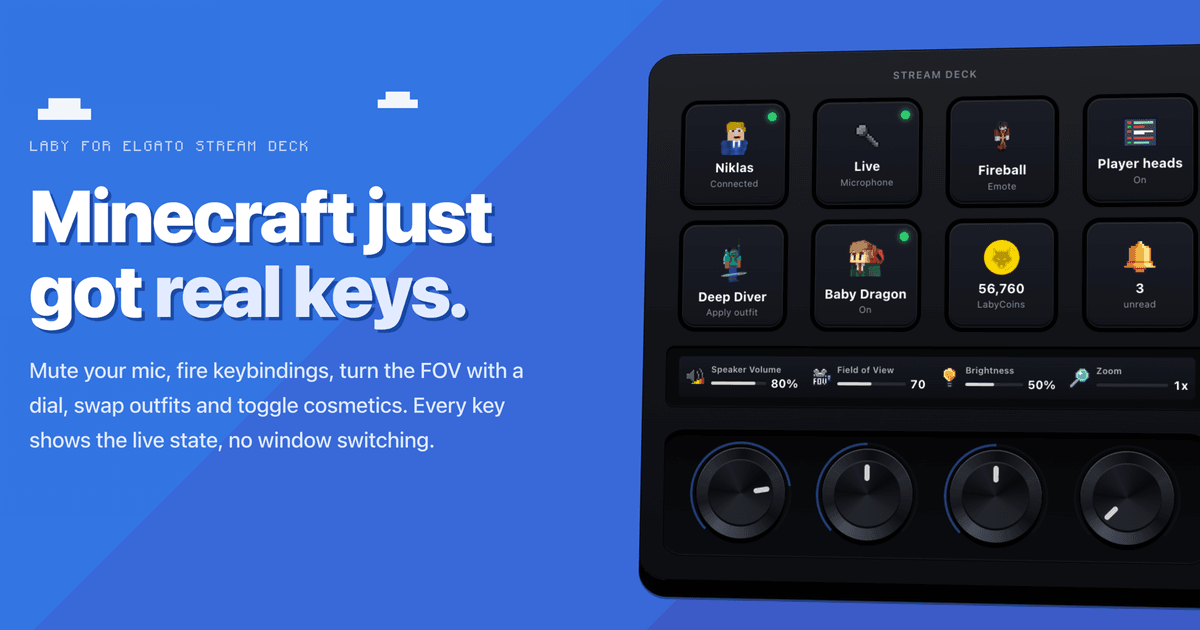
Laby for Elgato Stream Deck is out: our official plugin puts LabyMod and your Laby.net account on physical keys. Mute your mic, fire any keybinding, take a screenshot, play an emote, see which friends are online and turn the field of view on a dial, all without leaving the game or switching windows.
If you play with voice chat, record or stream, you know the problem: everything important sits on some key you have to remember, and you never really see whether your mic is muted right now. A Stream Deck fixes both: one key, one job, and its little display shows you the state. Instead of faking keypresses with a macro tool, the plugin talks to LabyMod directly, so every key shows what the client is actually doing.
The plugin is free on the Elgato Marketplace. Here is everything it can do.
In the game
The plugin pairs with the running LabyMod once, over a local connection. Then you get:
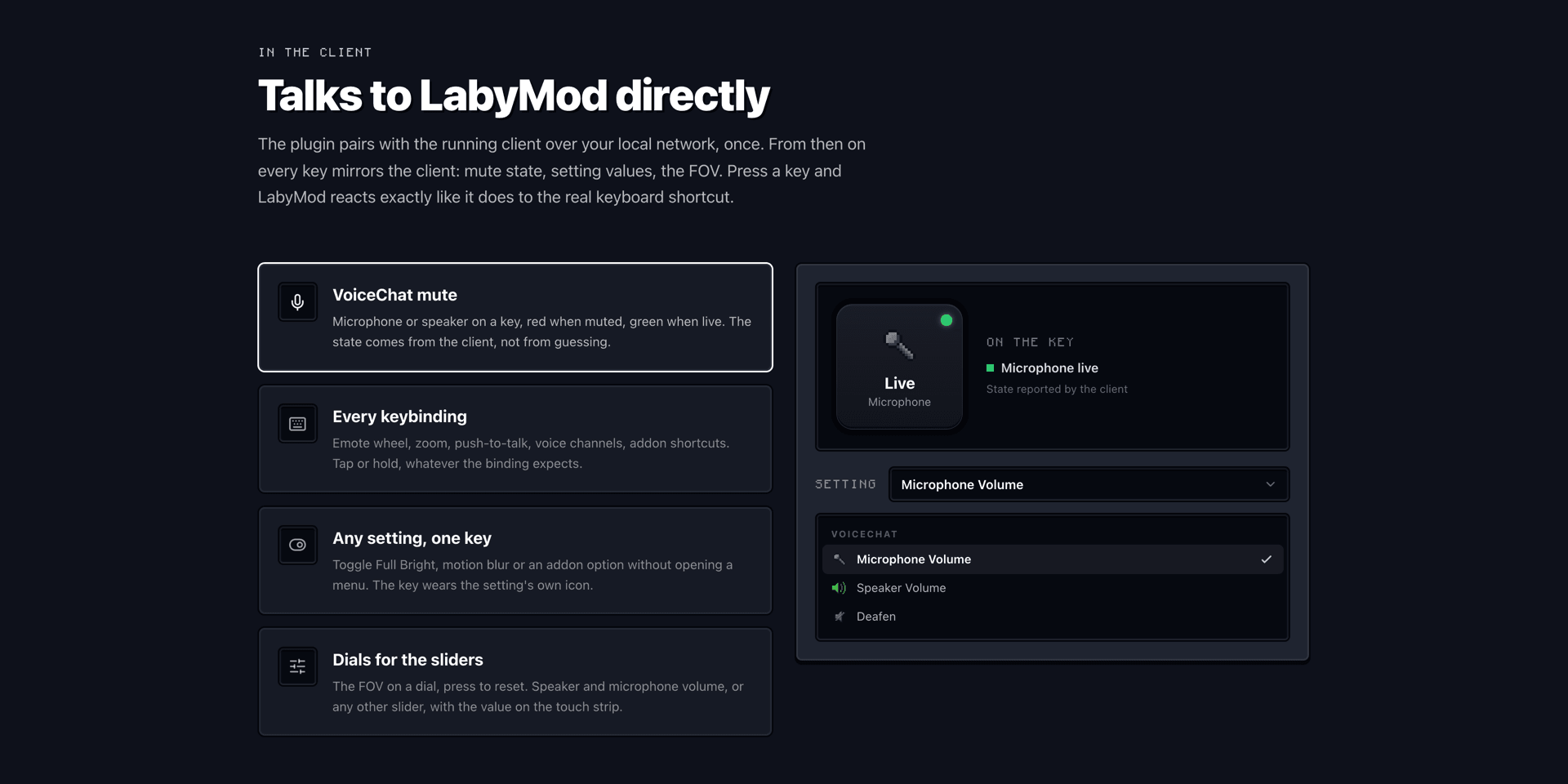
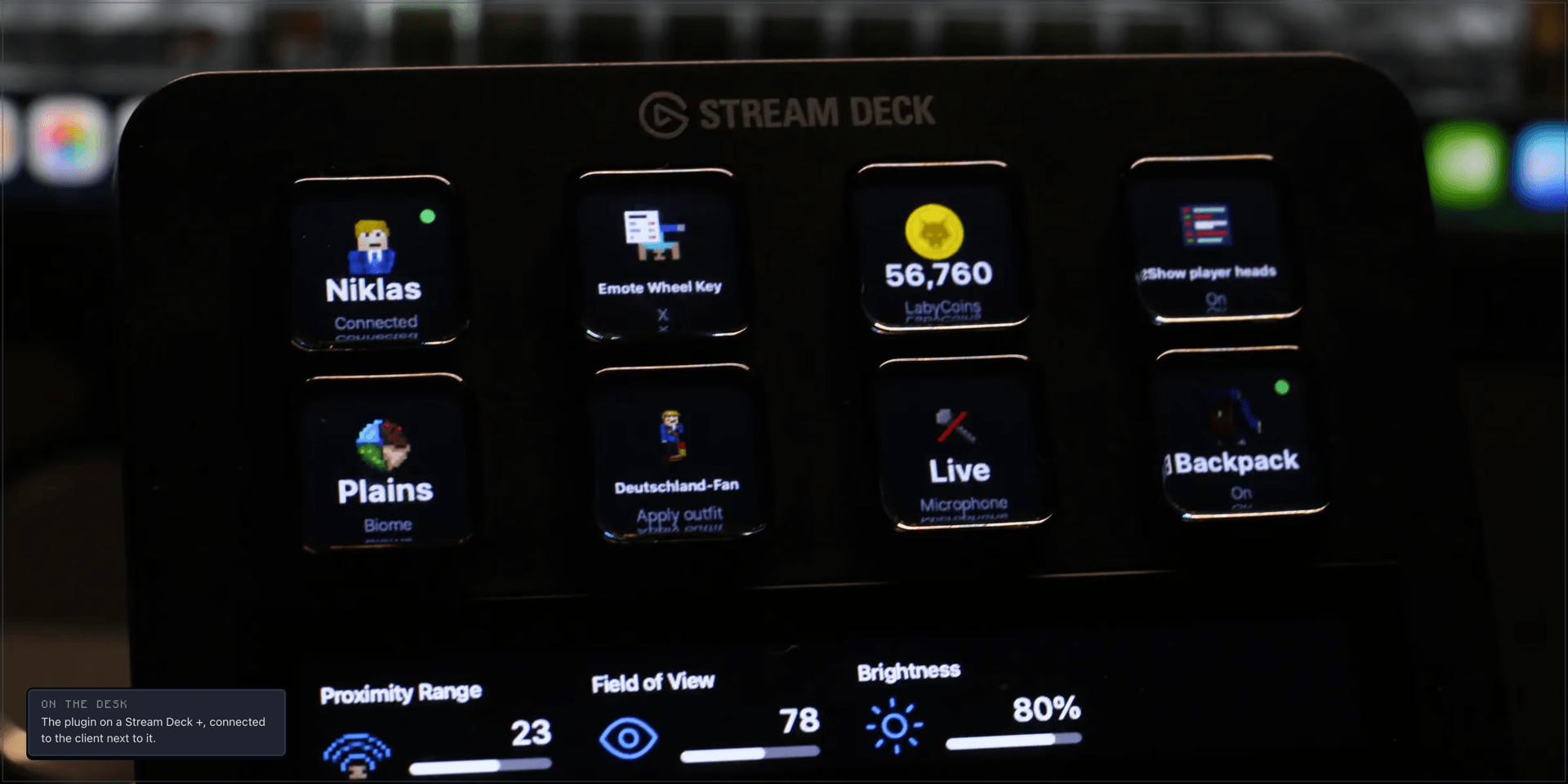
VoiceChat mute. Mic or speaker on a key, red when muted, green when live, straight from the client.
Every keybinding. Emote wheel, zoom, push-to-talk, voice channels, addon shortcuts. The key stays down as long as your finger does, so push-to-talk works like on the keyboard.
Emotes. One key per emote, with its render on it. Press again to stop.
Screenshot. Lands in your screenshot browser as usual. If you like, the key uploads it to Laby.net and copies the link, or puts the image in your clipboard.
Chat macro. Sends a message or a command as if you had typed it.
Waypoint. Marks the spot you are standing on. Needs Laby's Waypoints.
Any setting. Toggle Full Bright, motion blur or an addon option without opening a menu.
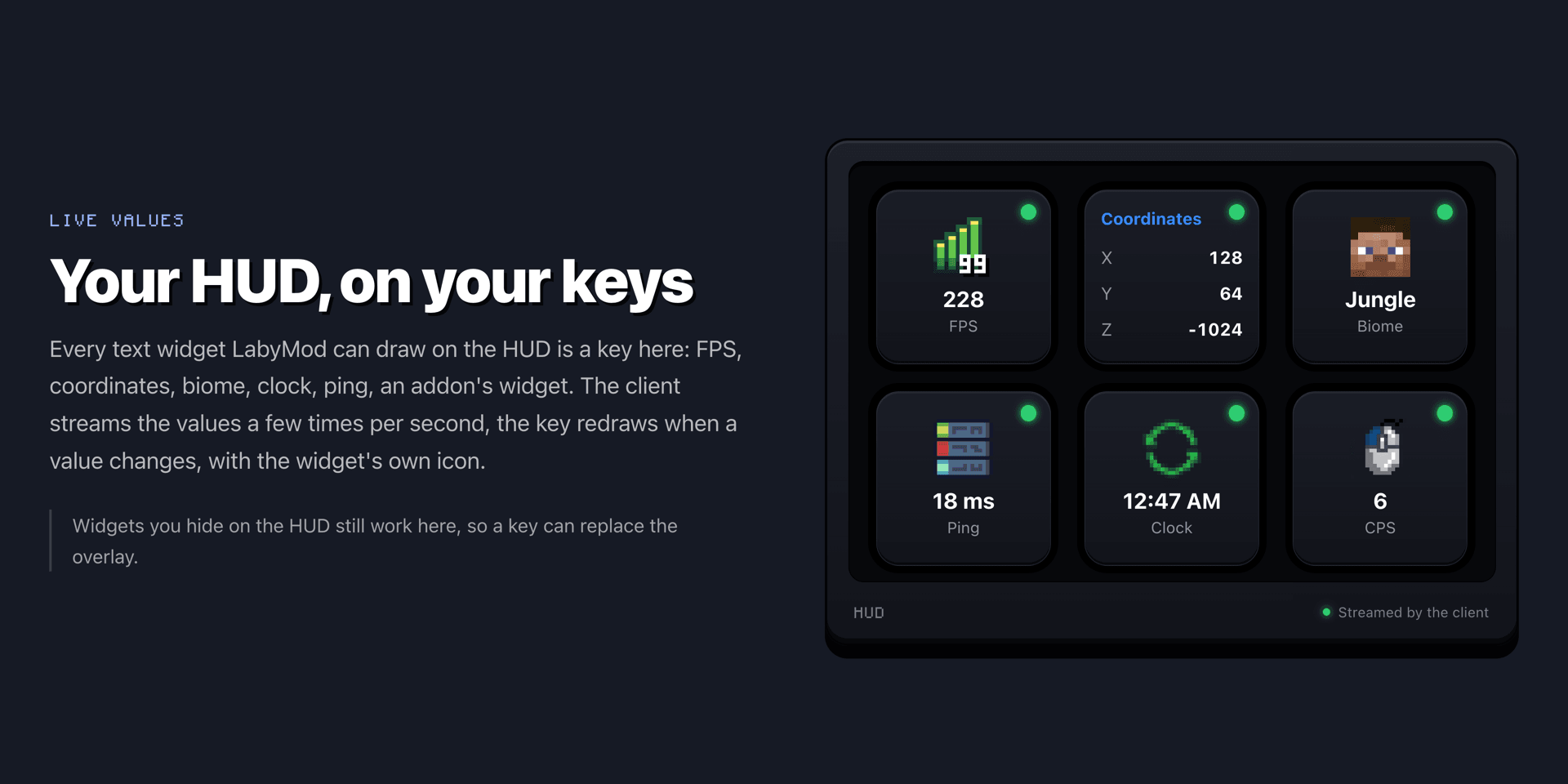
HUD widgets. FPS, coordinates, ping, biome, clock or addon widgets live on a key, even the ones you hid from your HUD.
Dials and the touch strip
On a Stream Deck + the dials handle the field of view, the brightness and any other numeric setting, such as the voice chat volumes. The value shows on the touch strip, a press resets it. With Laby's Minimap, the map itself moves onto the touch strip: turn to zoom, press to switch between north-up and rotating.
Your account on the deck
Sign in once with a code, then your Laby.net account lives on the deck:
Friends. Who is online, on which device and on which server, even while Minecraft is closed. Press to join their server.
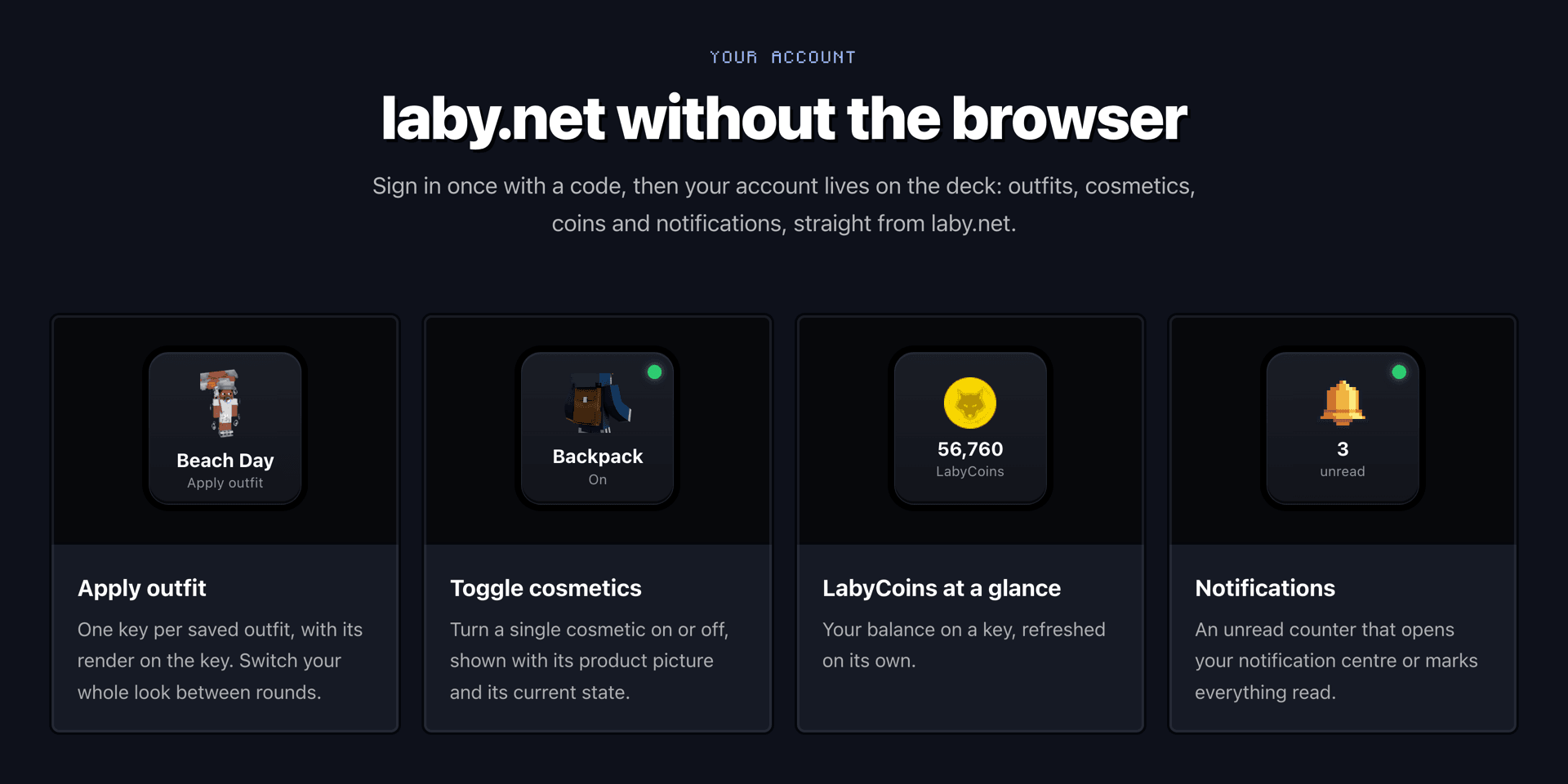
Outfits and cosmetics. One key per saved outfit to change your whole look between rounds, or a single cosmetic on and off.
LabyCoins and notifications. Your balance and an unread counter that opens your notifications or marks them read.
Setup in three steps
- Get Laby from the Elgato Marketplace and drag the actions onto your keys.
- In LabyMod, turn on External Devices under Settings > Utility.
- Press the LabyMod Connection key and accept the request in game. For the account keys, press Laby Account and confirm the code in your browser.
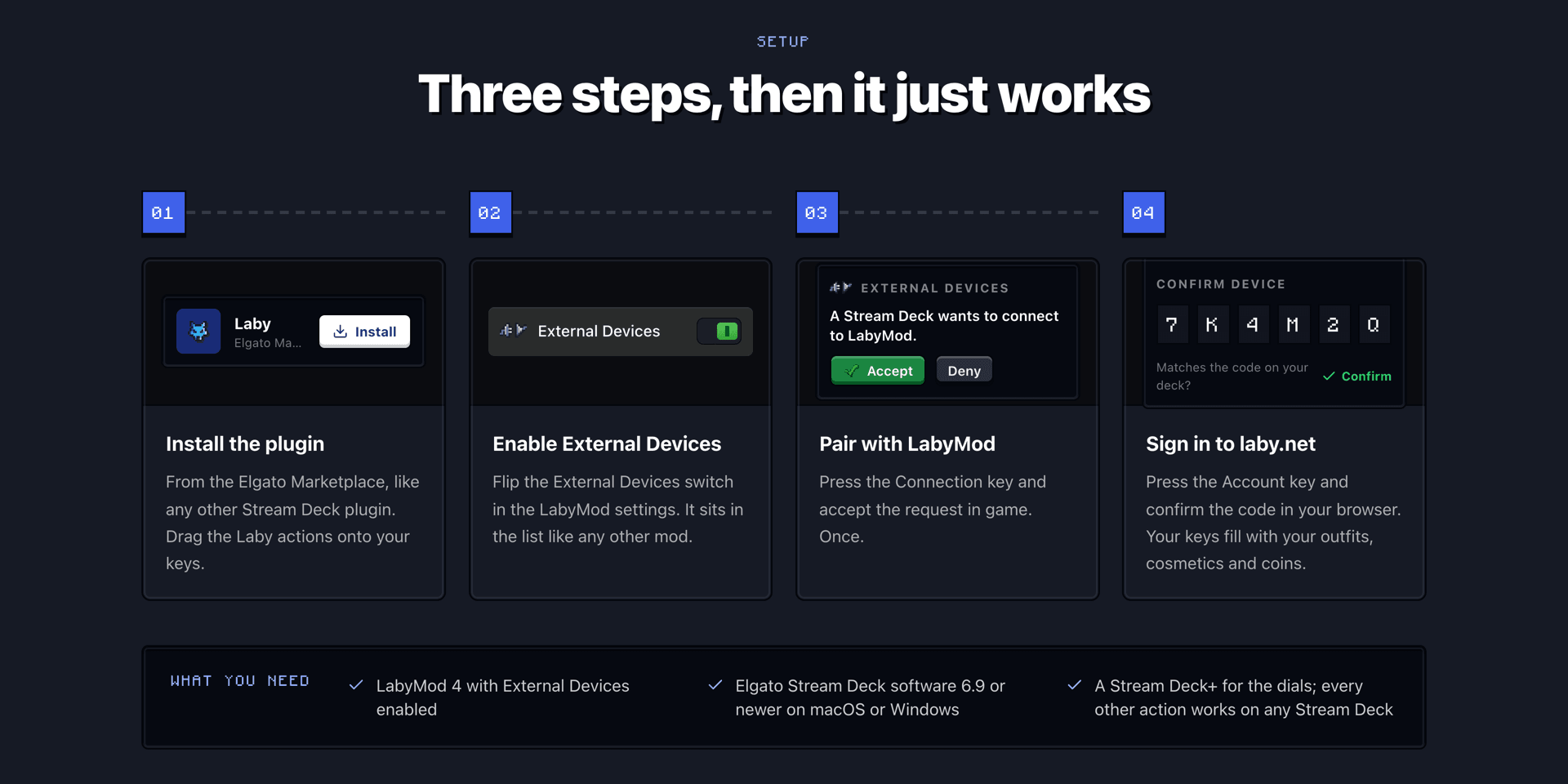
That's it. Pairing is local and happens once per device, and the deck never shows you as online on Laby.net just because it is sitting on your desk.
Addons come along
Whatever an addon already shares with LabyMod shows up on the deck by itself: keybindings on the Hotkey key, settings on the Setting keys and dials, HUD widgets on the HUD Widget key. Through the new External Devices API, addons can also bring their own values and commands. That is how Laby's VoiceChat, Waypoints and Minimap got their own keys.
What you need
LabyMod 4, the Stream Deck software 6.9 or newer on Windows or macOS, and a free Laby.net account for the account keys. The dials need a Stream Deck +, everything else runs on any Stream Deck. More on laby.net/streamdeck, answers in our FAQ, and ideas for new keys go on the ideas board.
Keywords
Read next
 Laby
LabyA smarter player list, the AFK Camera and chat tabs in a few clicks
New in Laby Client: a player list with Interactive Mode, the AFK Camera, a chat tab wizard, your own font everywhere and new windows for Vanilla.
 Laby
LabyGhost Hunt on Laby World: catch 160 ghosts until November 1
160 ghosts have infiltrated Laby World. Catch them with the Ghost Vacuum until November 1 and unlock loot boxes and three Halloween cosmetics.
 Laby
LabyHalloween Season 2026 | New Cosmetics & Mimic Lootbox Event
Halloween has arrived at Laby! Discover new Halloween cosmetics and earn free Mimic Lootboxes with a chance to unlock an exclusive permanent Mimic Pet!
Comments (0)