Instant replay for MinecraftClips in the Laby Launcher
The Laby Launcher keeps the last seconds of your game in memory. One key saves them, an editor cuts them, and Laby.net shares them.
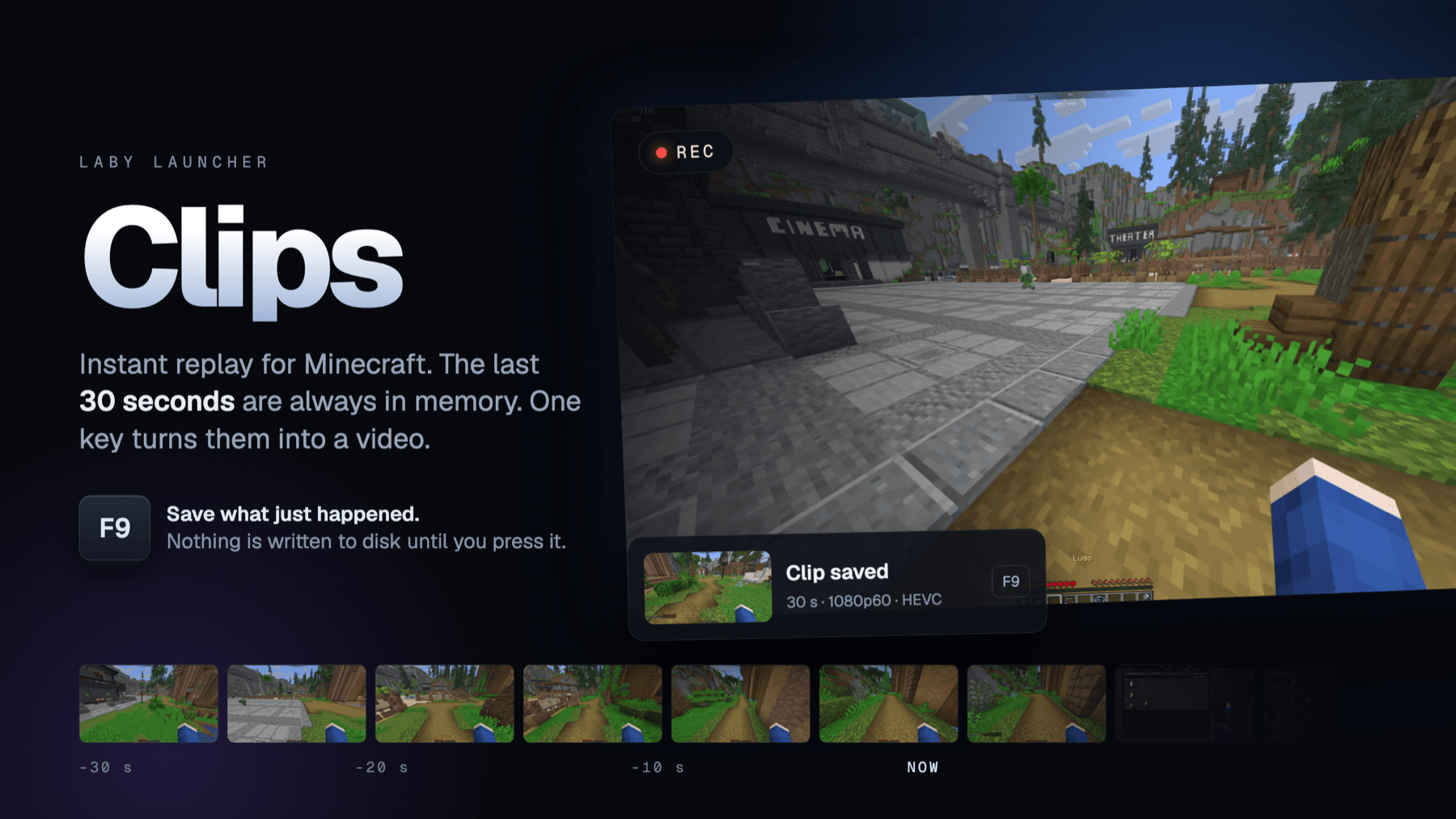
The best moment of an evening never announces itself. The clutch fight, the one in a million spawn, the thing your friend did that nobody is going to believe: by the time anyone thinks about recording, it already happened.
That is what Clips is for. The Laby Launcher keeps the last seconds of your game in memory the entire time you play. When something happens, you press one key and those seconds become a video file. Nothing is written to disk until you do.
Clips is in the launcher now. Here is what it does, and how it works underneath.
The last 30 seconds
You switch Clips on once. After that it starts with the game and runs quietly in the background. A ring buffer holds between 5 seconds and 5 minutes of play, 30 seconds by default, and throws away whatever ages out.
Press the save key and the clip lands in your clips folder as an ordinary MP4. Press the pause key and the launcher stops keeping history, without closing anything. A small card in the game confirms both, and the launcher warns you when the key you picked is already doing something in Minecraft.
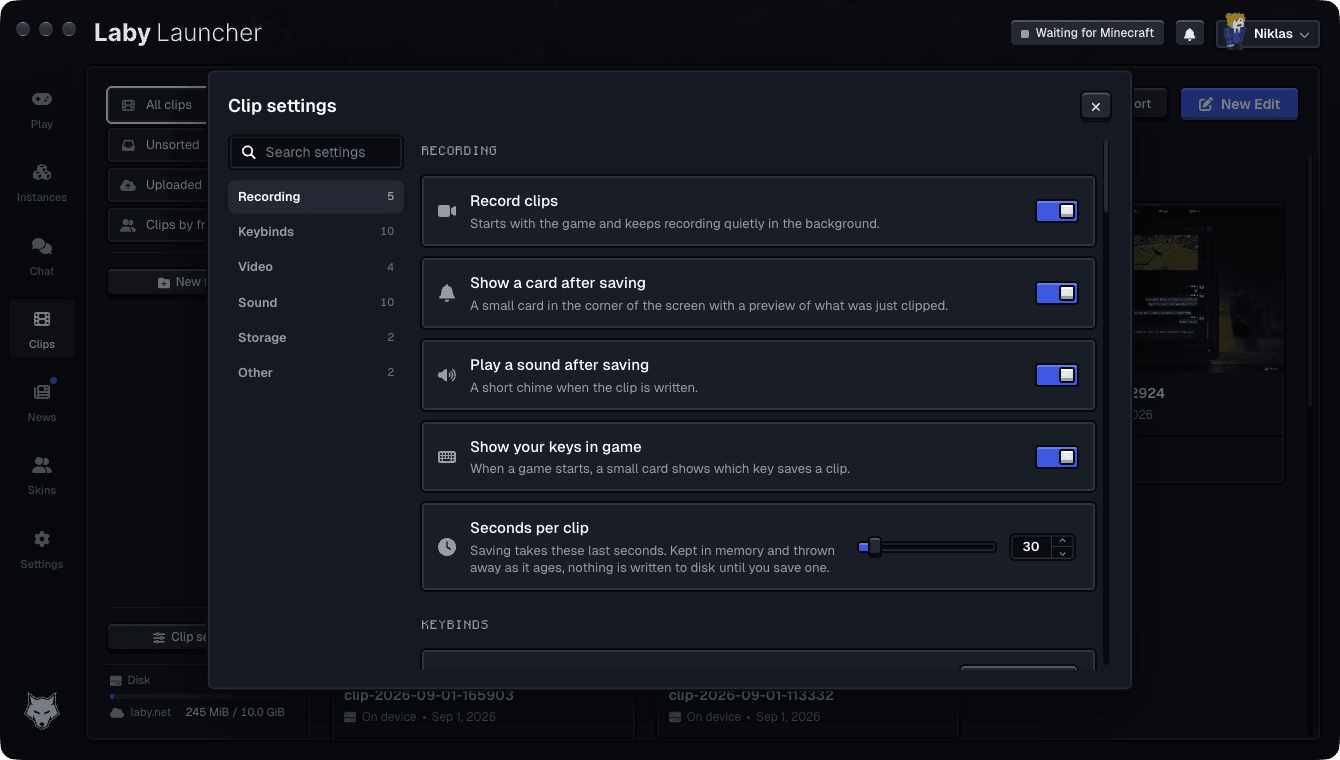
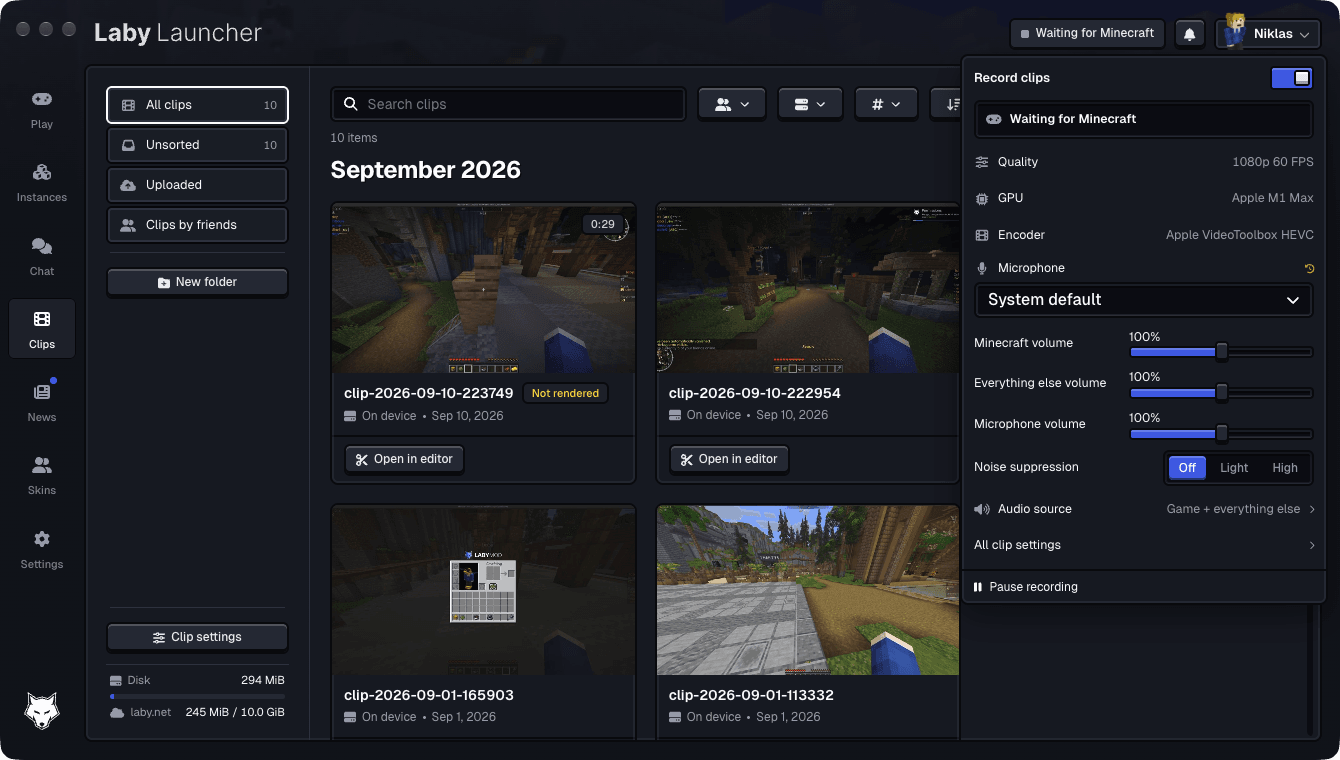
The title bar always says what is going on: waiting for the game, recording, paused, which graphics chip was found and which encoder is doing the work.
A built-in editor
Every clip opens in an editor built into the launcher. It has a timeline, text in a dozen styles, arrows, boxes, a blur for anything you want to hide, images and GIFs, effects and transitions, freeze frames and speed changes that keep the pitch of the sound.
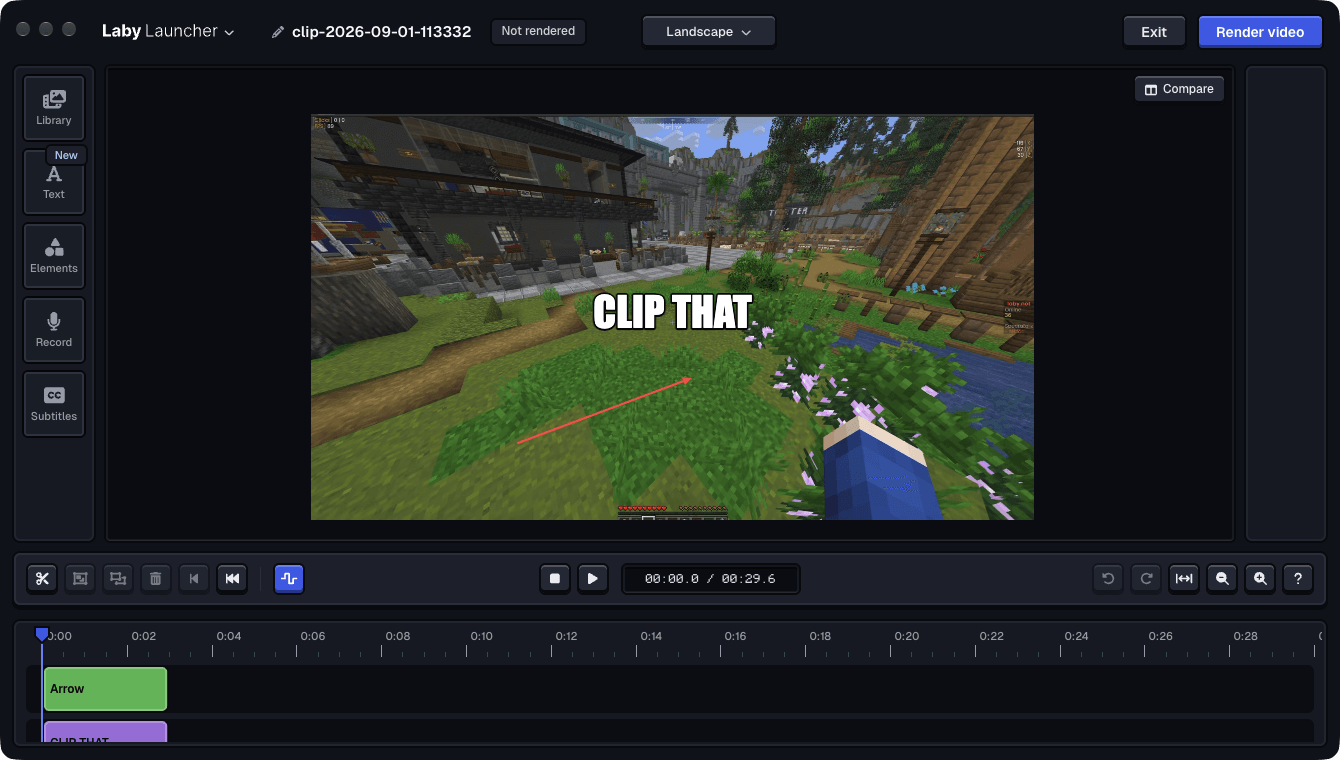
Subtitles are generated on your own machine as well. You pick which sound tracks to listen to and whether you want word by word or full sentences, and you can choose between a model that is quicker and one that copes better with background noise and writes punctuation. Or you import an SRT file and skip the whole question.
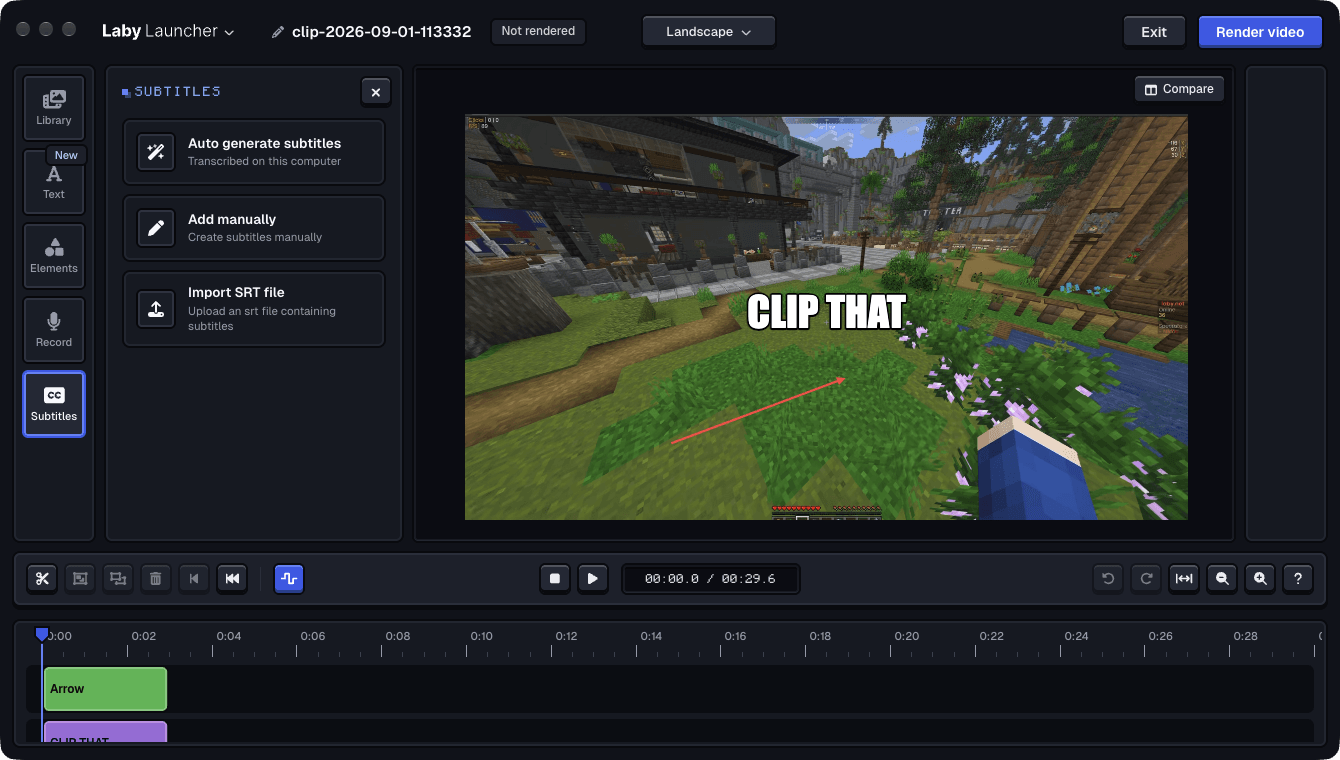
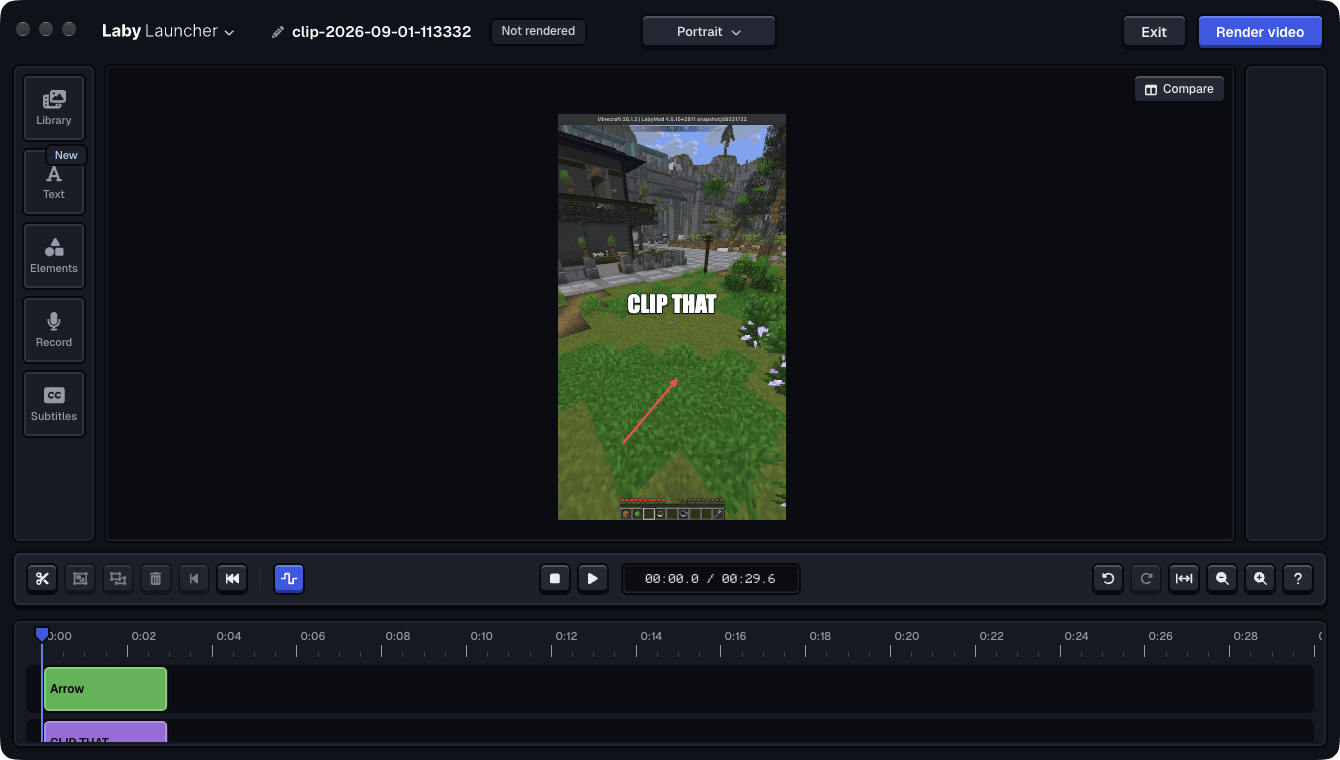
One switch reframes the whole edit for portrait, square or ultrawide, and everything you placed moves with it. That is the whole distance between a clip from last night and something you can put in a short.
When you are done you either replace the clip or write a new one, and the untouched recording is kept either way, so an edit can be taken back afterwards. Exporting gives you one mixed sound track for anything that plays video, or every lane separately for a real editing program, or a GIF for chat.
Your clip library
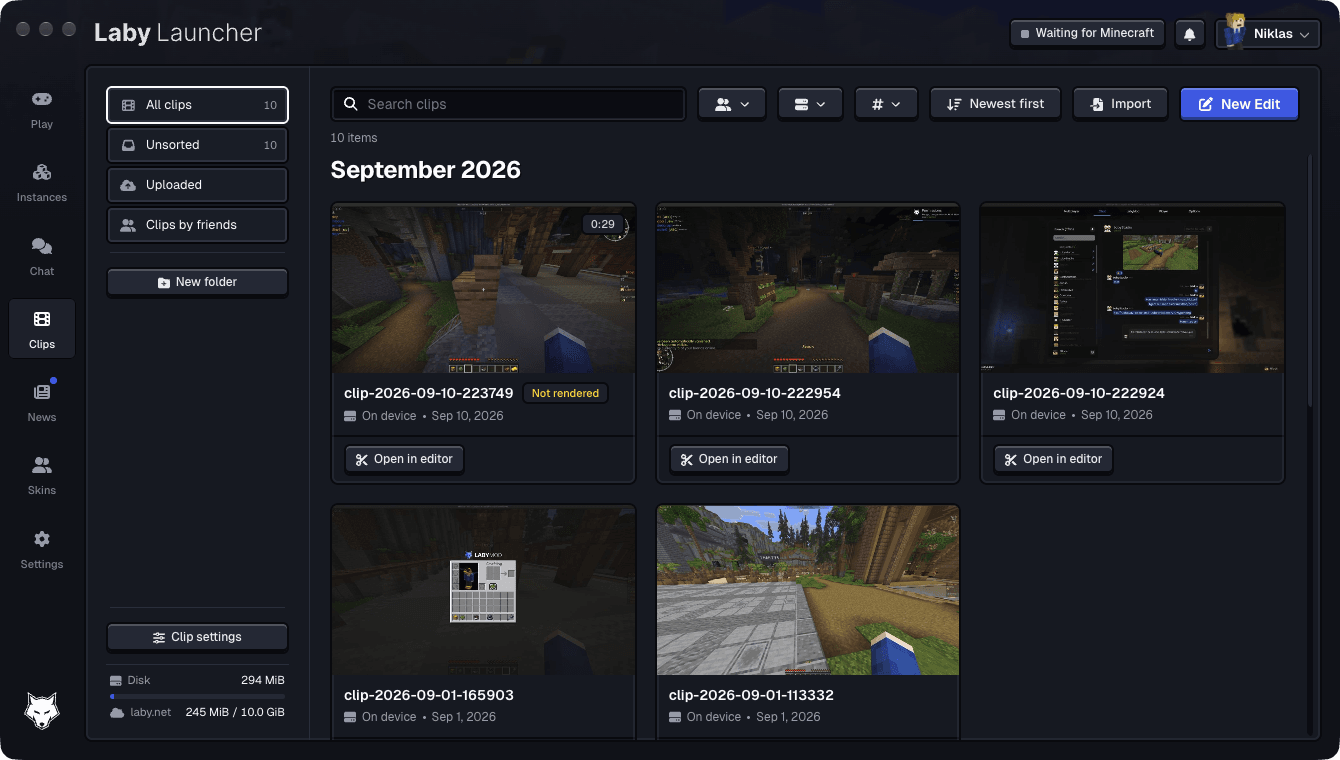
Saved clips show up in the launcher, grouped by month, with folders, search, sorting and filters for the server and the players who were there. Videos you recorded with something else can be imported into the same library.
At the bottom you always see two numbers: what the clips take on this disk, and what you have used of your Laby.net storage. A disk limit removes the oldest clips once the folder grows past it, and zero means nothing is ever deleted automatically.
Two clicks to share
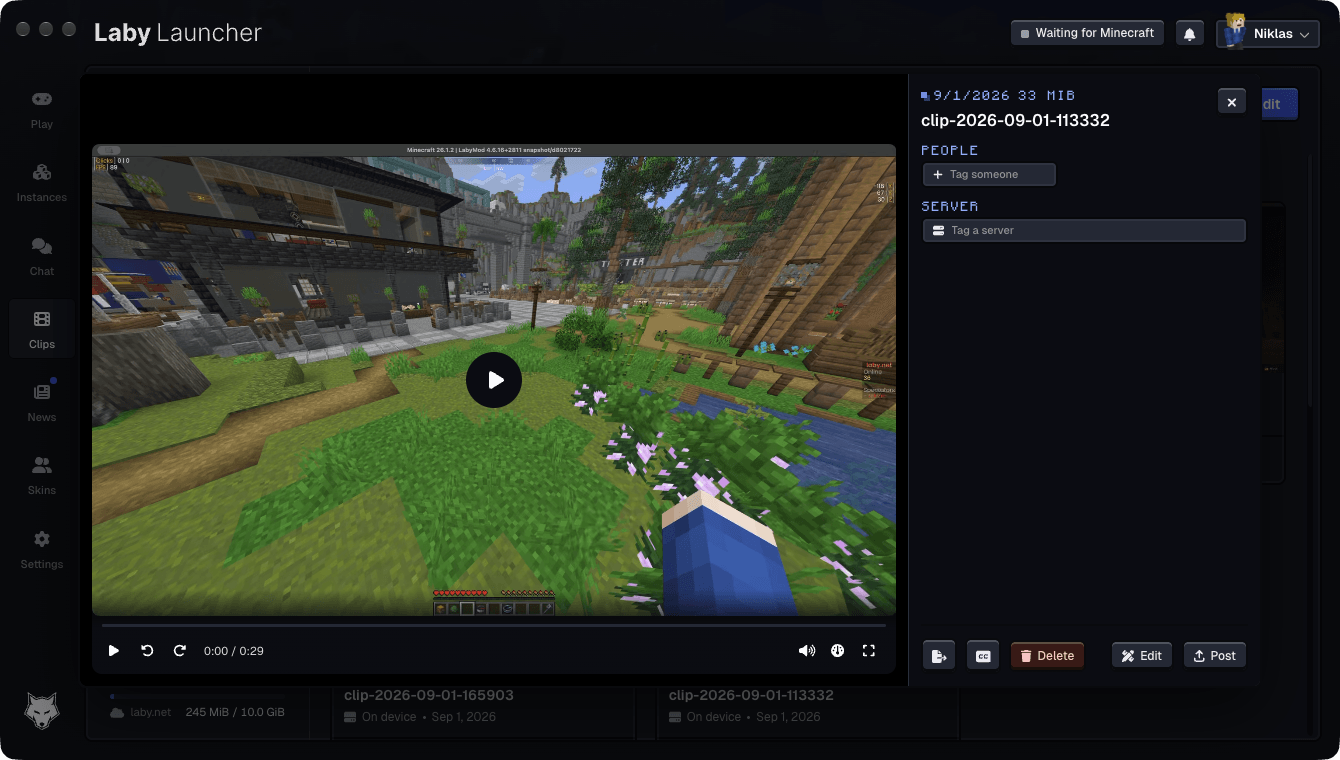
A clip can be posted to Laby.net straight from the library: link only, friends, or public, whichever you pick. You can tag the server it happened on and the players who were in it, your friends' clips show up in the launcher next to your own, and deleting asks whether you mean the copy on your disk, the post, or both.
Inside the game
Most recorders ask the desktop for a picture of your window. That is the wrong place to ask. Windows hands a foreground fullscreen game an independent flip straight to the display, so the compositor, which is all a window recorder can see, never even sees most of the frames.
Measured on the same game at the same moment: window capture handed over 29.94 frames a second while the game was drawing more than 400.
So on Windows and Linux the launcher loads a small library into the game and takes the finished frame from the inside, through an OpenGL detour or a Vulkan layer, depending on what the game draws with. On macOS the game window goes through ScreenCaptureKit. In every case the frame goes to the hardware encoder without ever touching system memory.
What that is worth, measured on an RTX 4060 at 1080p and 120 fps on a busy server: of the 120 frames a second in the clip, 119.86 were distinct frames the game had drawn, none failed, and handing one to the encoder cost 0.16 milliseconds.
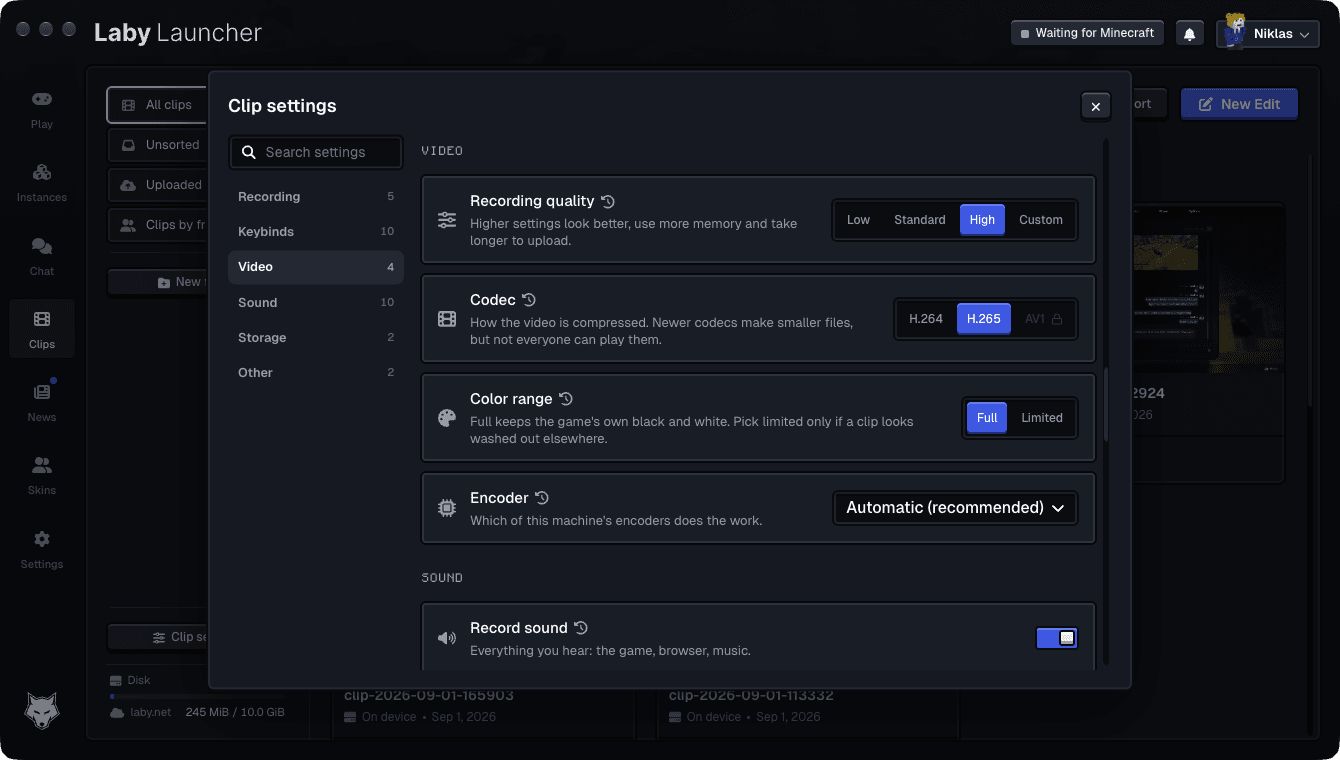
Encoding always runs on the graphics chip, in H.264, H.265 or AV1. The launcher probes what your machine can actually encode instead of guessing from a model name, greys out what it cannot, names the encoder it picked, and lets you pick a different one.
Sound in lanes
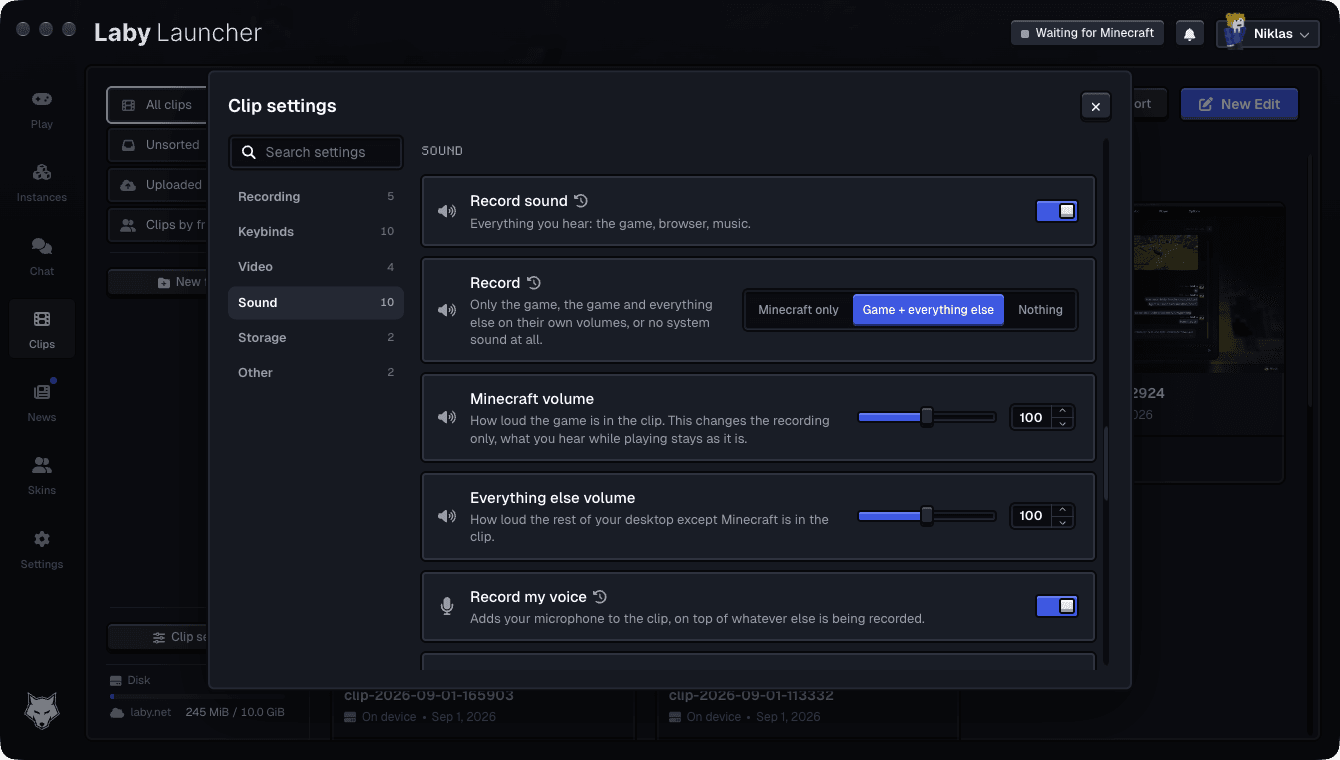
A clip can record only Minecraft, or everything you hear, each with its own volume, plus your microphone on top of it. Those volumes change the recording only, never what you hear while playing. On Windows and Linux single applications can be left out, so the music you play for yourself does not end up in every clip.
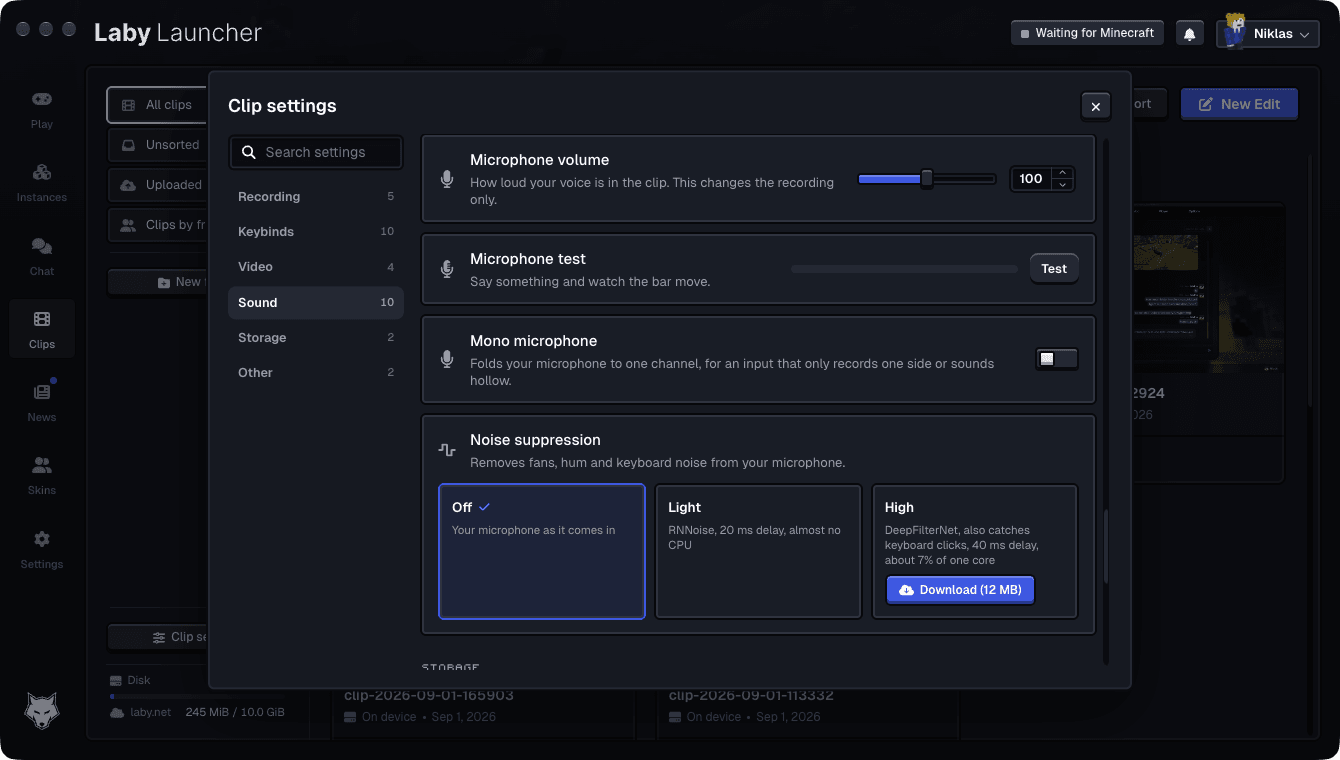
Noise suppression has two steps, and both run locally. Light is RNNoise: 20 milliseconds of delay and about 0.3 percent of one core. High is DeepFilterNet, which also catches keyboard clatter, at 40 milliseconds of delay and about 7 percent of one core, downloaded once as a 12 MB model. In our measurements the keyboard drops from -25 dBFS to -41 dBFS between the two.
"Hey Laby, clip that"
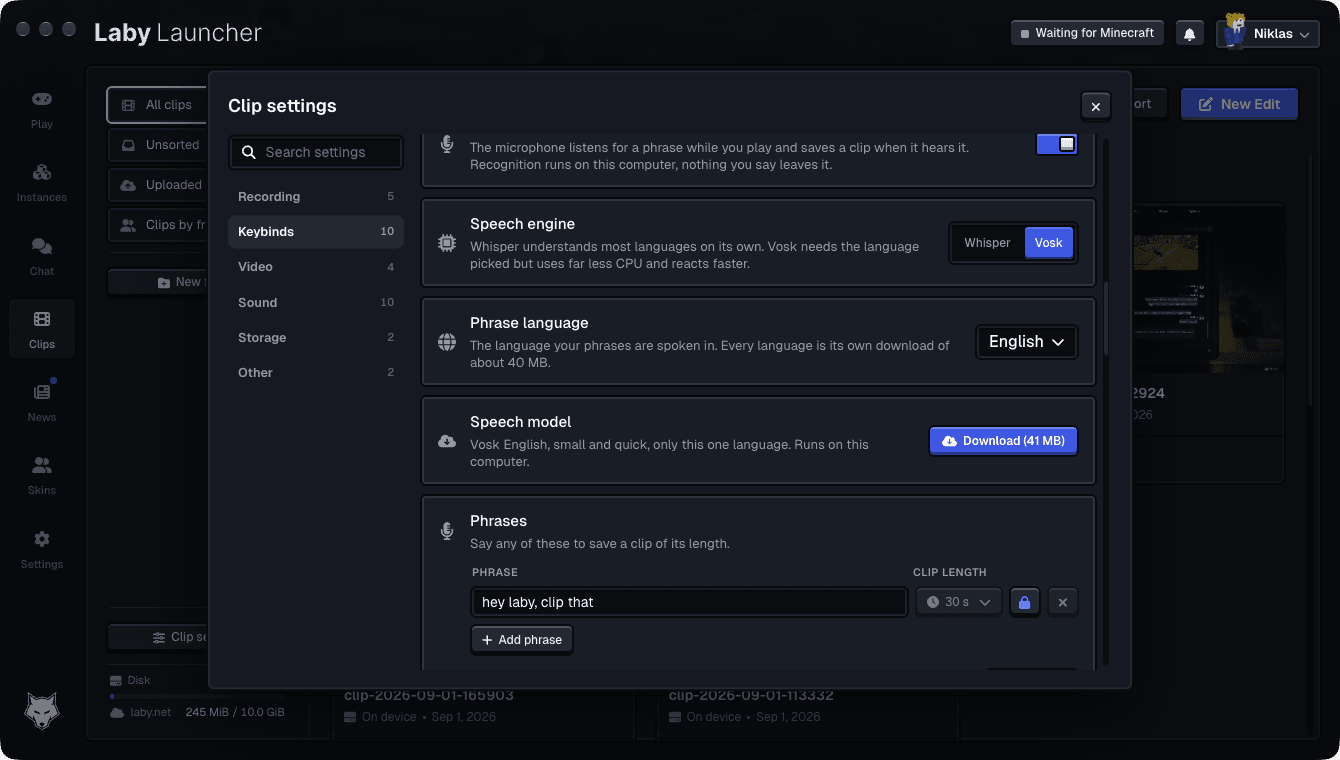
A key is not always the fastest thing. Clips can listen for a phrase instead, and you decide what the phrase is. Each phrase can even save a different length, so a short one grabs the last 15 seconds and a longer one grabs the last two minutes.
The recognition runs on your computer. The language model is downloaded once, nothing you say is uploaded, and the microphone is only listened to while the game is running.
Try it
Clips is part of the Laby Launcher on Windows, macOS and Linux. Start the launcher, let it update, and you will find Clips in the sidebar. Switch it on, play, and press your save key the next time something happens.
Found a bug or have an idea for it? Tell us on our feedback platform. Quite a lot of what is described above exists because someone asked for it there.
Keywords
Read next
 Laby
LabyA smarter player list, the AFK Camera and chat tabs in a few clicks
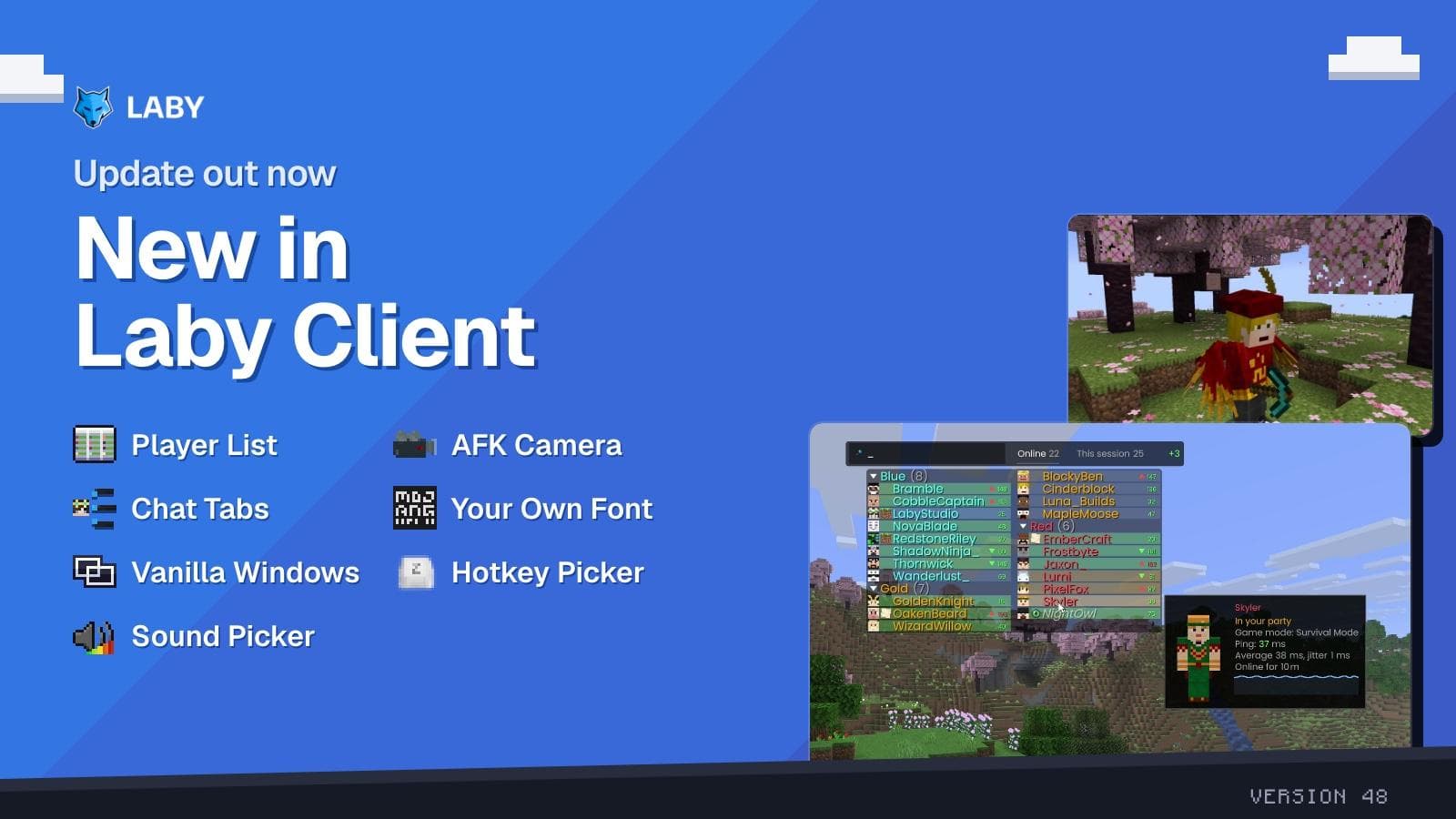
New in Laby Client: a player list with Interactive Mode, the AFK Camera, a chat tab wizard, your own font everywhere and new windows for Vanilla.
 Laby
LabyGhost Hunt on Laby World: catch 160 ghosts until November 1
160 ghosts have infiltrated Laby World. Catch them with the Ghost Vacuum until November 1 and unlock loot boxes and three Halloween cosmetics.
 Laby
LabyHalloween Season 2026 | New Cosmetics & Mimic Lootbox Event
Halloween has arrived at Laby! Discover new Halloween cosmetics and earn free Mimic Lootboxes with a chance to unlock an exclusive permanent Mimic Pet!
Comments (0)