The Creator UpdateLive tags, Streamer Mode, partner tags and $1,000 for streamers
A LIVE tag above streamers, a Streamer Mode that turns on with OBS, partner tags for creators and $1,000 in Twitch subs until Christmas.
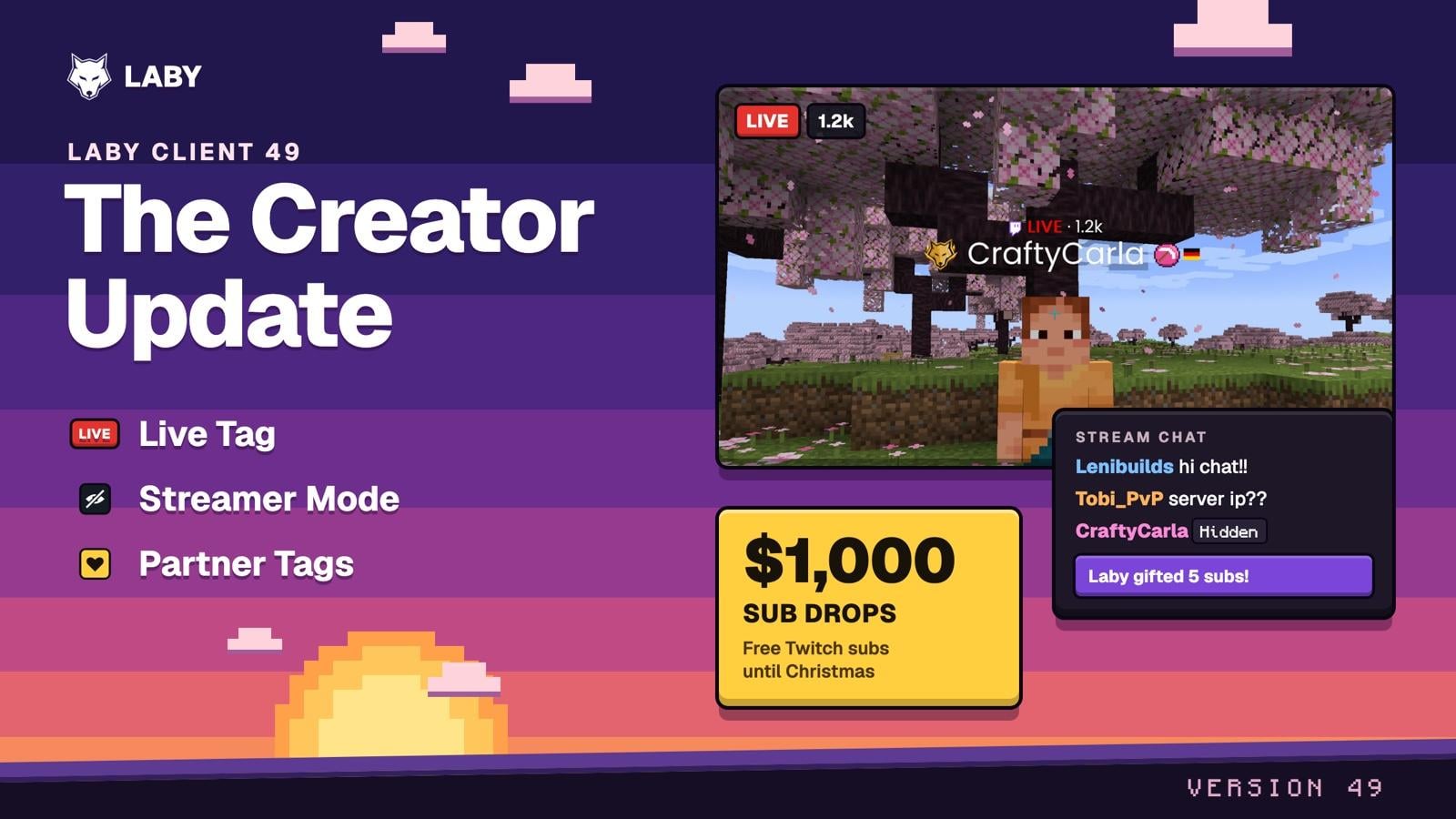
This update is for everyone who streams Minecraft, and for everyone who loves to watch. From now on you can see right above a player's head when they're live. Your server IP stays off stream the moment OBS starts. And your community wears your logo next to their name. On top of that, we're giving away $1,000 in Twitch subs until Christmas to streamers who go live with the Laby Client.
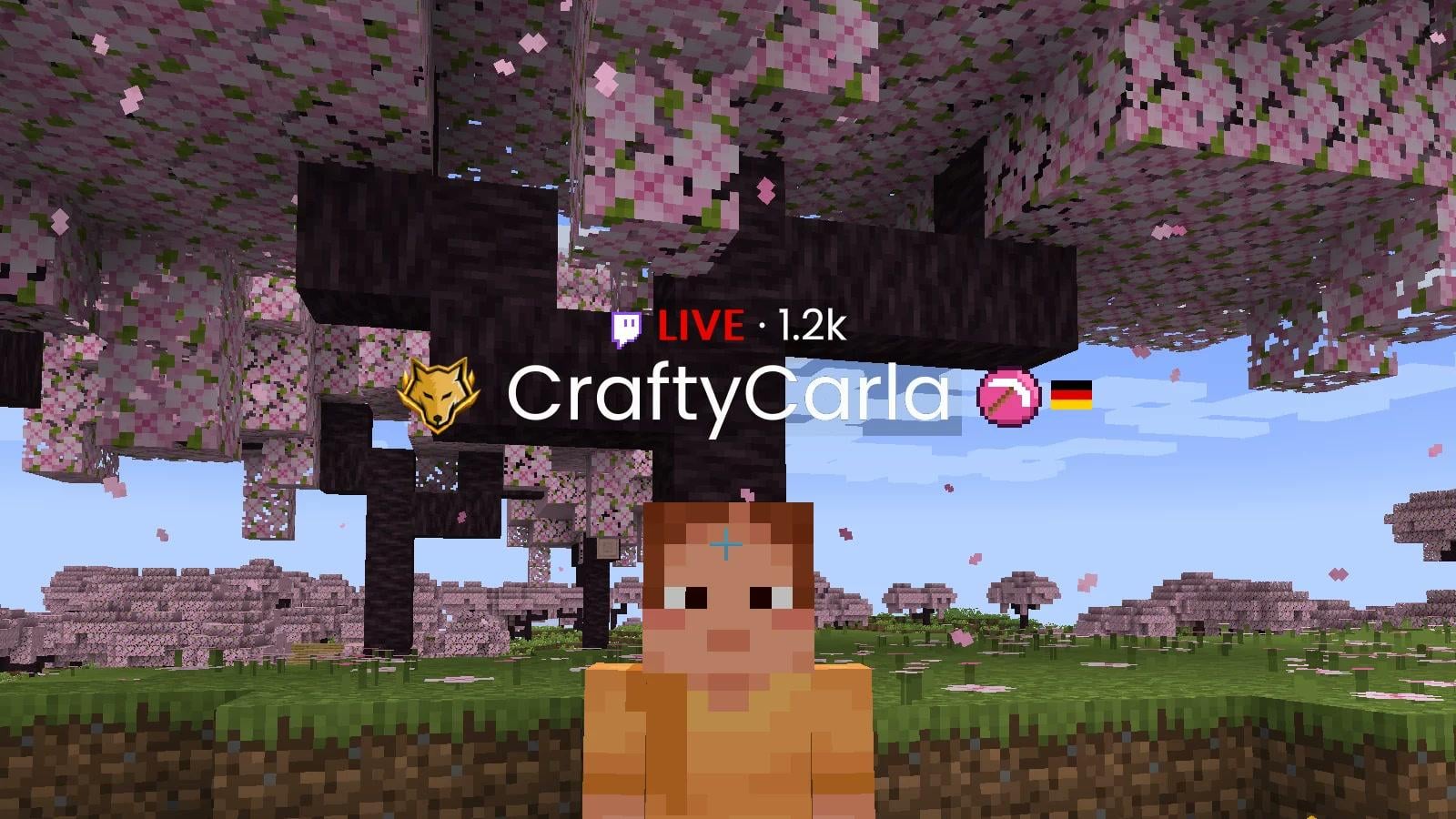
CraftyCarla is live: a LIVE tag above her name, her logo after it, and her supporters wear the same one
Live Tag
When someone is streaming on Twitch, a red LIVE tag with their viewer count appears above their name. Everyone on the Laby Client sees it, on every server. So you know right away when you've walked into someone's stream, and you can say hi.
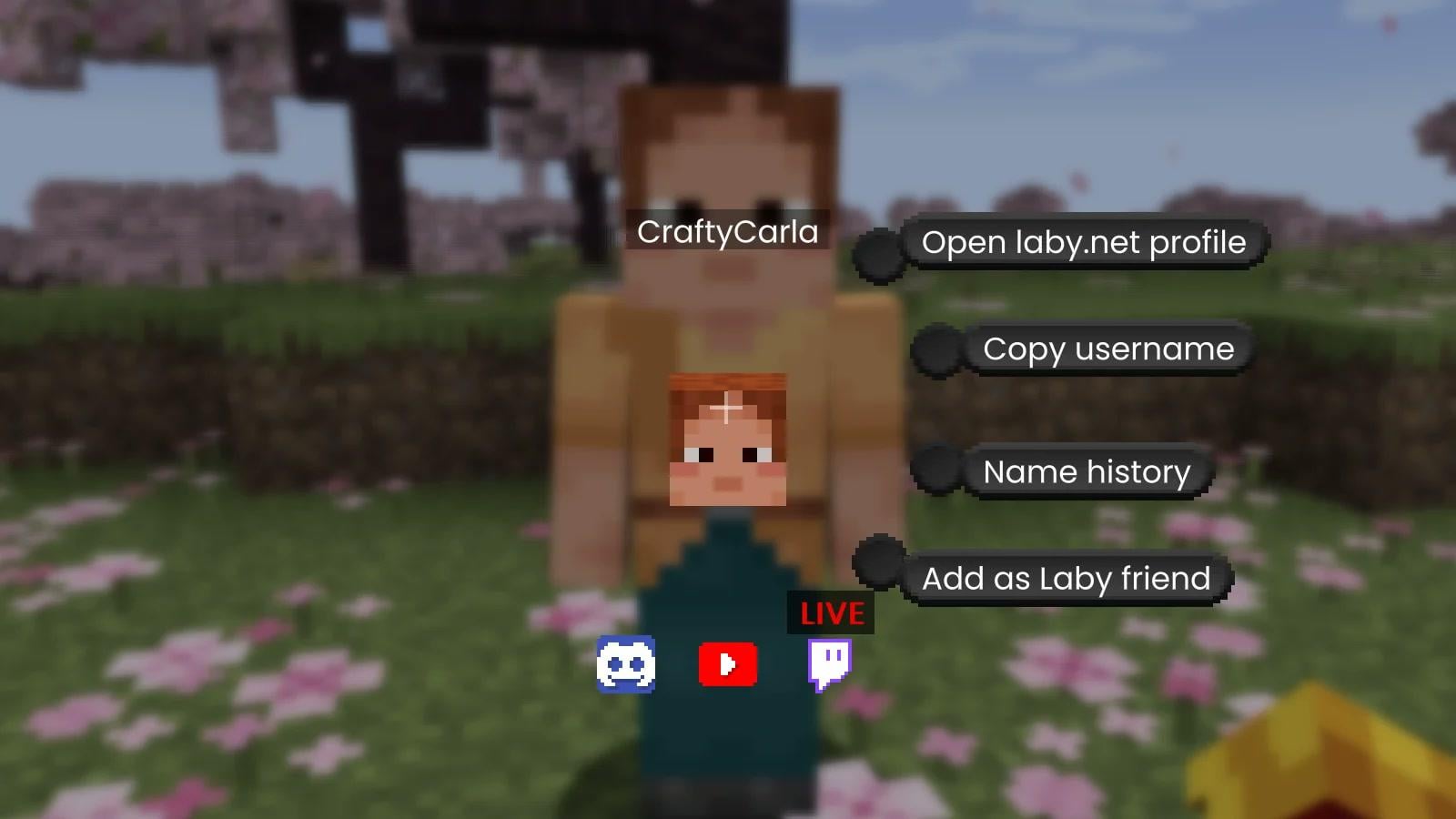
Middle-click the streamer and the Twitch icon in the interaction menu carries the same LIVE badge. One click and you're in the stream.
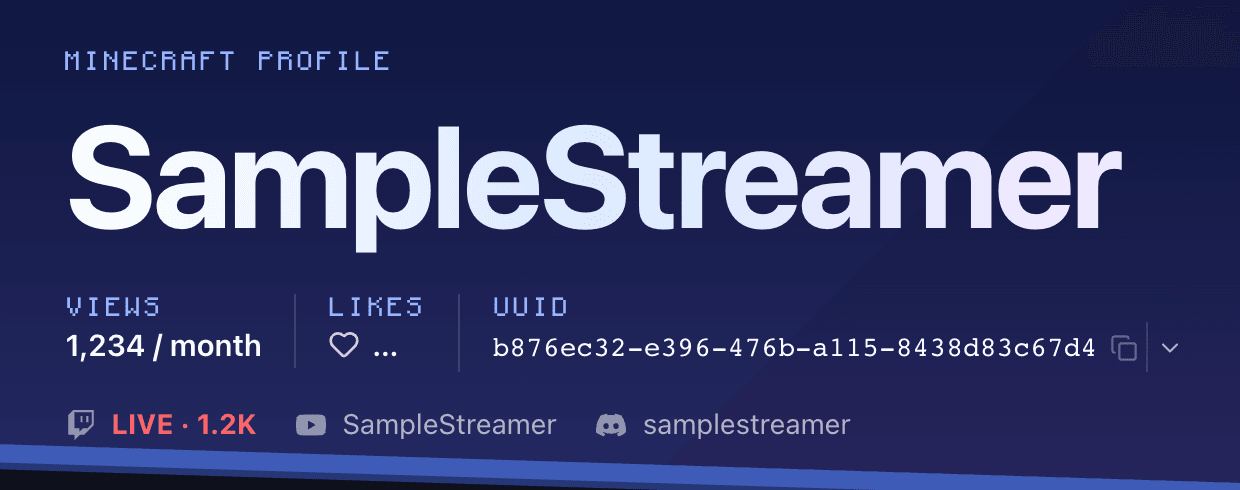
Get the tag yourself: link Twitch in your profile settings on laby.net and keep it visible. Within a minute of going live you have your LIVE tag, and your laby.net profile shows LIVE instead of your channel name too.
The tag is on by default. If you'd rather not see it, turn off Show Live Streams in the name tag settings. For now it works with Twitch.
Streamer Mode
Every streamer knows the moment: you open the server list for a second, and the IP of your private SMP is on stream. Not anymore. Start OBS and the Laby Client switches to Streamer Mode on its own and lets you know with a notification.
OBS starts, and the server address, your Laby Chat and your coordinates turn into Hidden
From then on, private stays private:
- Server addresses turn into Hidden: in the server list, the HUD, the tab list, disconnect messages and on Discord
- Your friends' servers and party invites stay covered
- Laby Chat messages come in as "New message", without the text
- Your location from the weather widget stays hidden
- Your other accounts and the World Sharing address disappear
- Coordinates in the HUD and on the F3 screen can go too, so stream snipers can't find you
Public servers from the laby.net server list, like Hypixel, keep their name, so your viewers still see where you play. Want to show something anyway? Click the eye on a hidden field to reveal just that one.
The client detects OBS, Streamlabs, XSplit, Twitch Studio, TikTok LIVE Studio, vMix, Meld Studio, Wirecast and SplitCam. Streaming through Discord or something else? Bind a hotkey to toggle it, or simply keep the mode on all the time.
Partner Tags
Open the account menu in the top right, pick Creator Code and enter the code of your favorite creator. Your Laby shop purchases then support them, and it doesn't cost you a cent more. If the creator has a partner tag, their logo now shows right after your name, just like next to theirs.
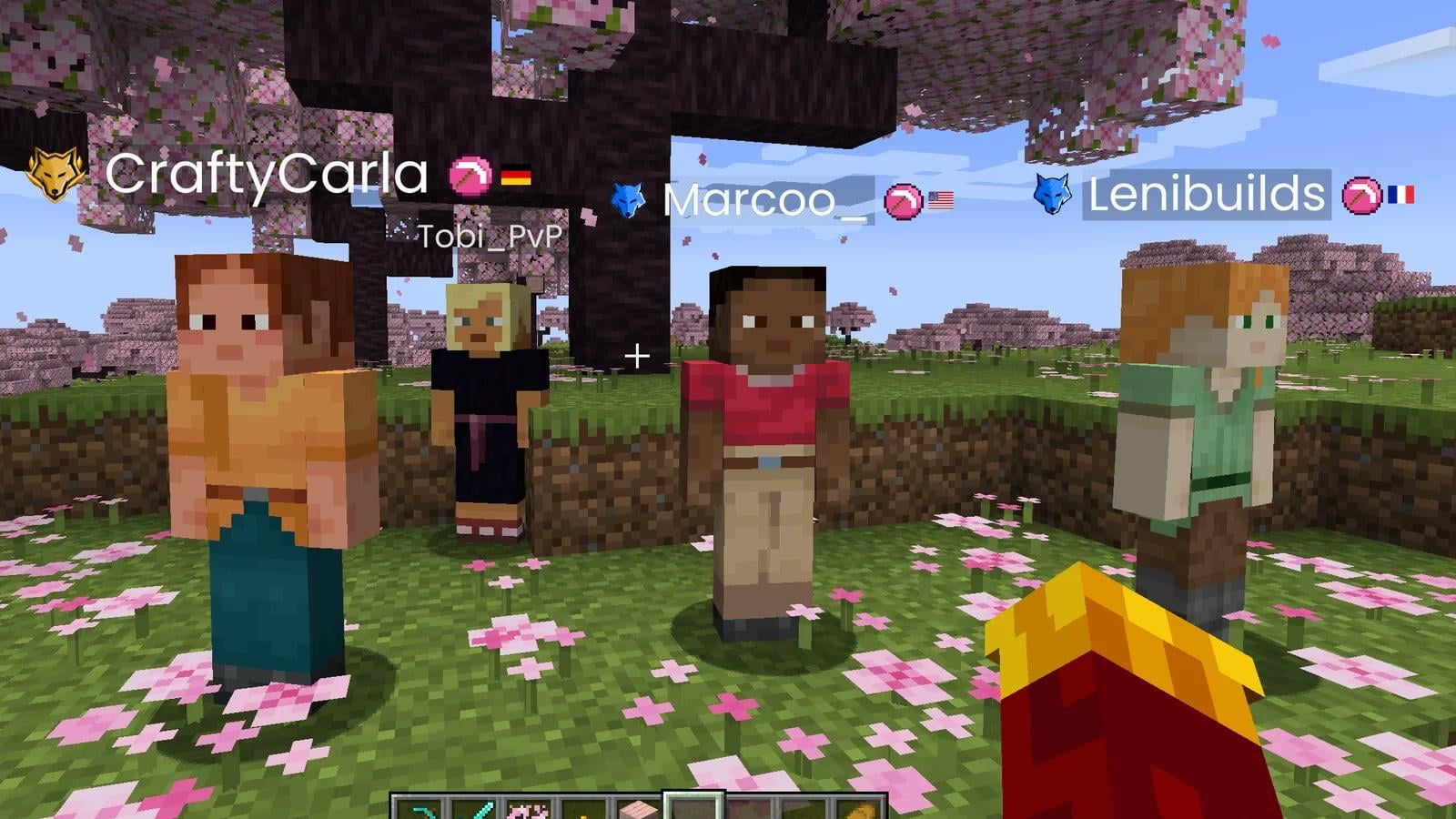
That way you can spot a community on any server at a glance. You can change the code any time, or clear the field to remove it.
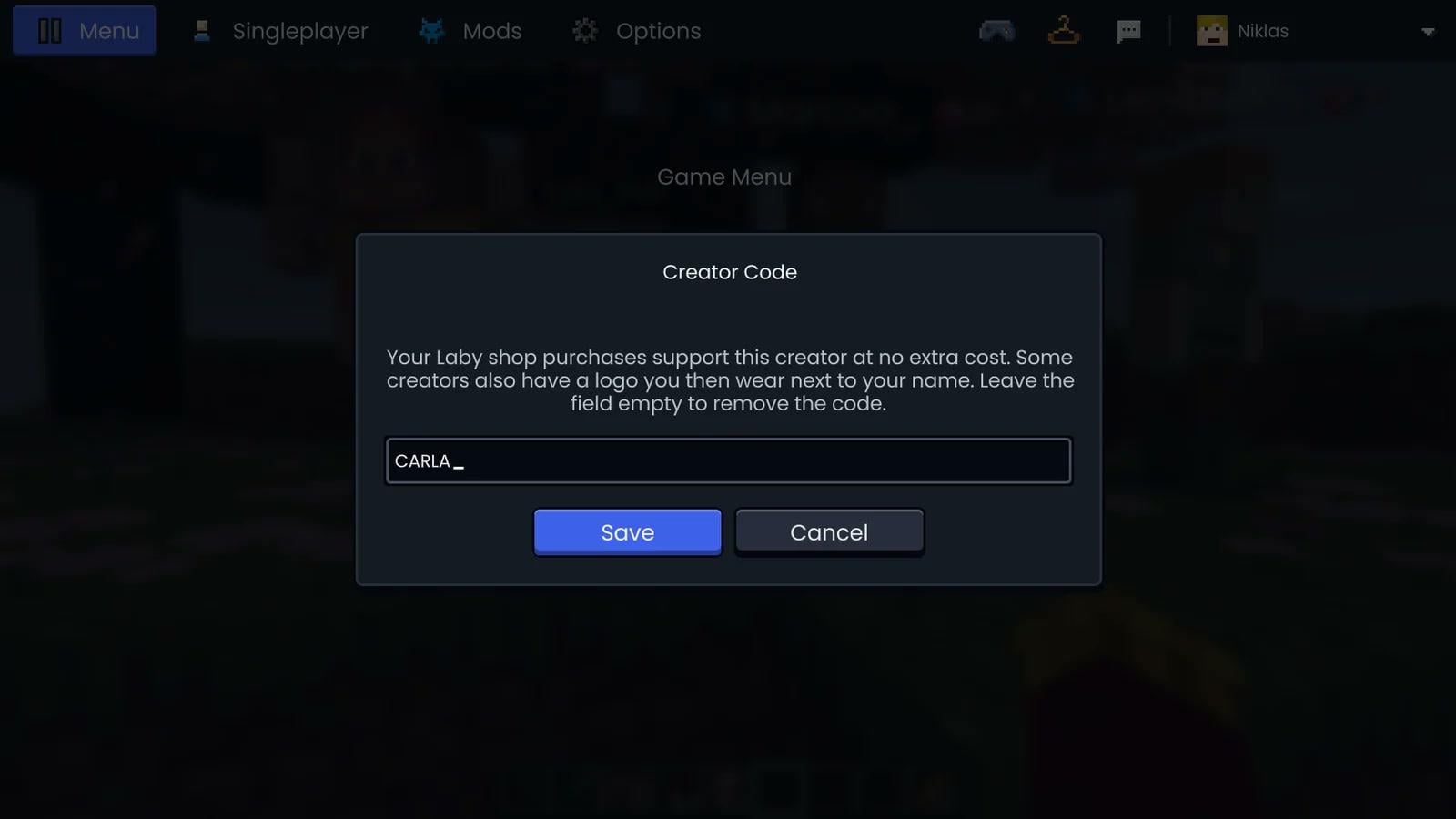
Too many logos at once? Turn off Show Partner Tags in the name tag settings to hide them all.
Addons for streamers
Two addons from the addon store round off your stream setup.
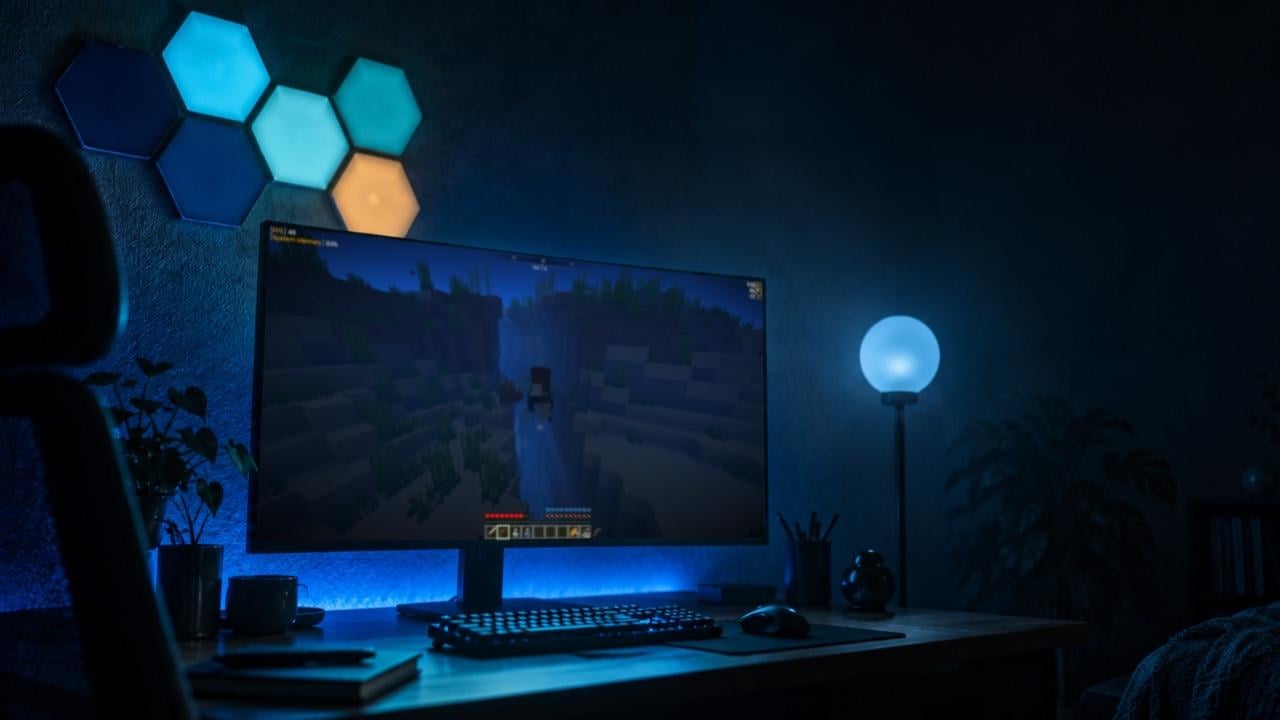
Home Lighting brings Minecraft into your room. Your Philips Hue, Nanoleaf, Govee, WLED or OpenRGB lights glow in the colors of the biome you're standing in: green in the jungle, blue on the ocean, red in the Nether. Caves go dark, nights turn blue, and when you take damage the room flashes red. So your viewers see the game on the wall behind you too.
Twitch Chat brings your stream chat into the game as its own tab, with badges, emotes from Twitch, 7TV, BetterTTV and FrankerFaceZ, plus subs and raids. Log in with Twitch once and you can reply straight from Minecraft, and a HUD widget shows the newest messages without opening the chat.
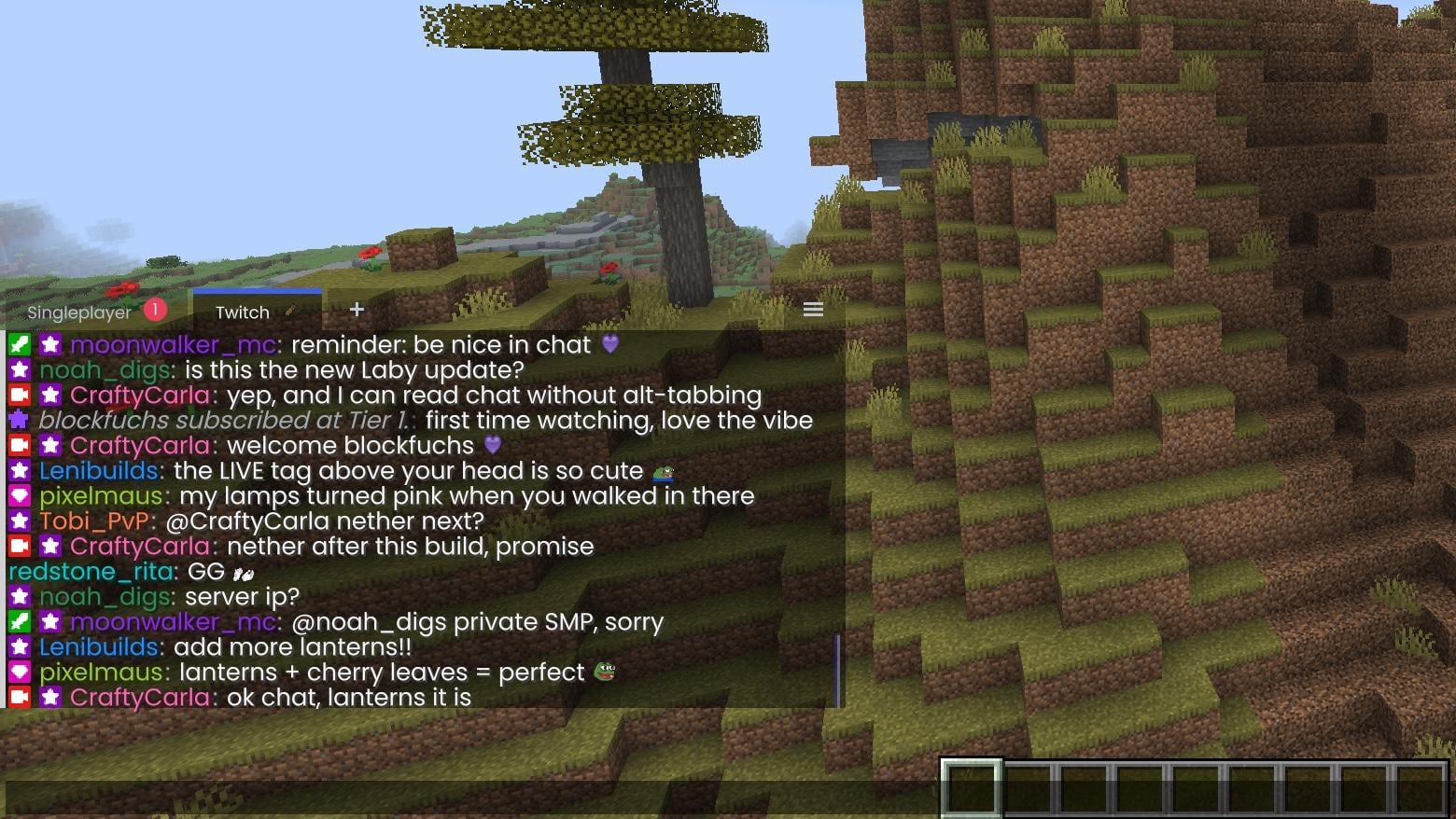
You'll find both in the Laby Client under Addons.
$1,000 Sub Drops
To kick things off, there's something extra: until Christmas we're gifting $1,000 worth of Twitch subs to streamers who play Minecraft with the Laby Client. Whether 3 or 3,000 people are watching.
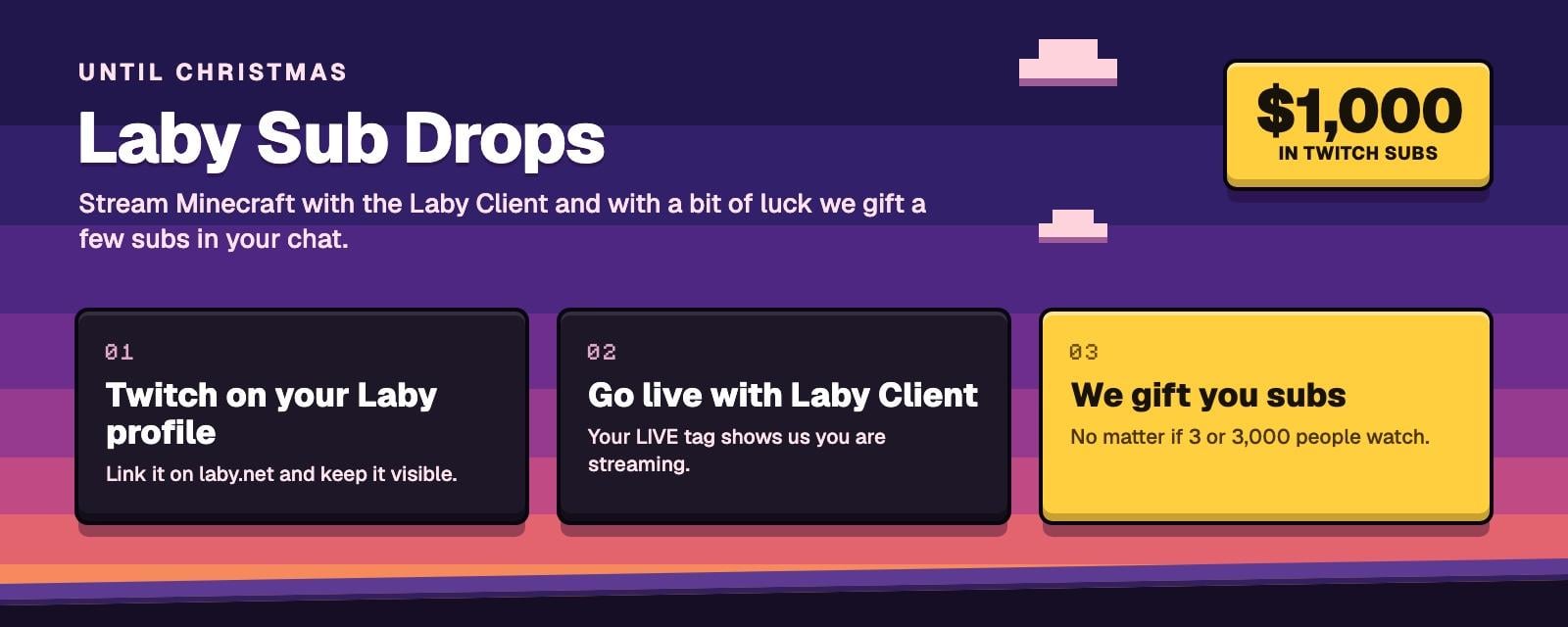
Here's how to take part:
- Link Twitch in your profile settings on laby.net and keep it visible
- Go live with the Laby Client and play Minecraft. Your LIVE tag tells us you're streaming
- That's it. Until December 24 we'll keep dropping by and gifting a few subs in your chat
The more often you're live with Laby, the better your chances. You don't need to be a partner, and you don't need to sign up anywhere.
Become a Laby partner
Do you stream or make videos? Then get your own creator code. Link your Twitch, YouTube or TikTok channel in the partner program. The check runs automatically, and if your numbers fit, you're in right away. No forms, no waiting.
And it earns you real money: when your community shops in the Laby shop with your code, you get a share paid out. The more supporters enter your code, the more you unlock:
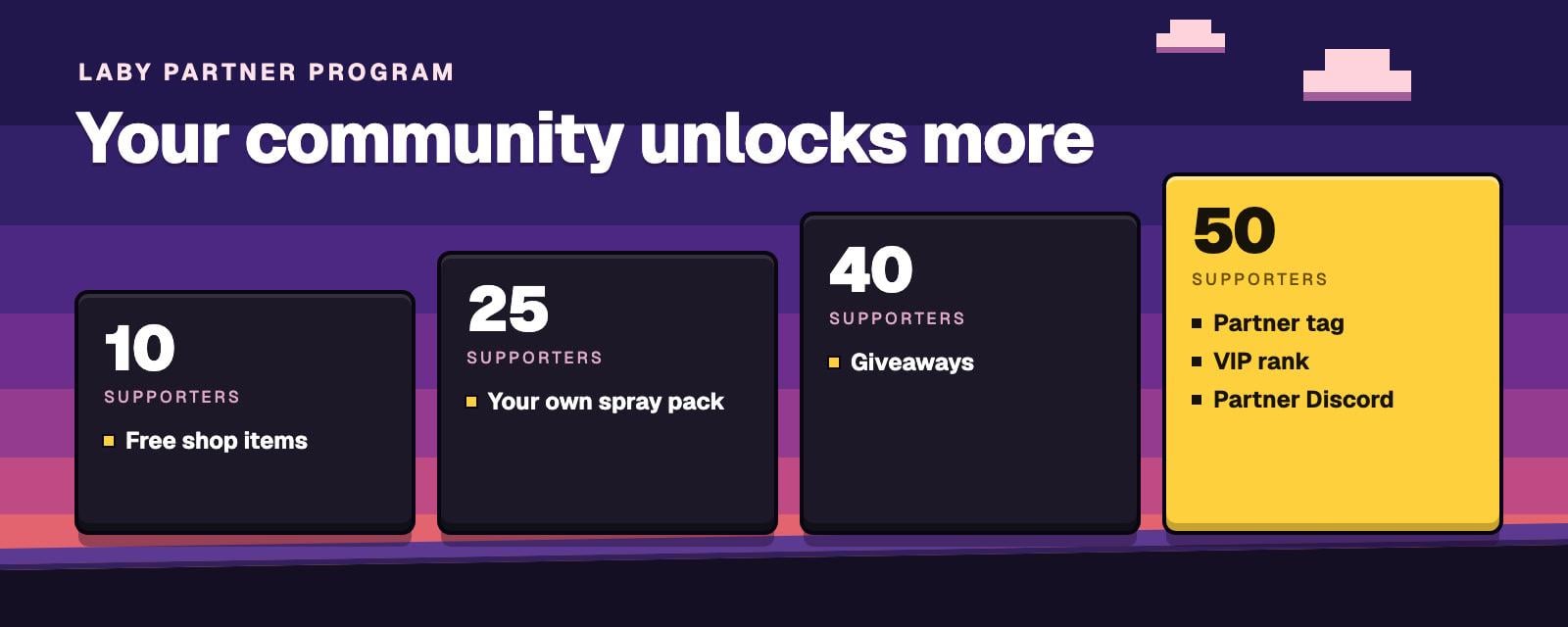
- Free shop items: cosmetics and emotes from the Laby shop for you, for free
- Your own spray pack: your sprays, which your Twitch subs get automatically
- Giveaways: give items away to your community
- Partner tag, VIP rank and partner Discord: your logo next to your name and every supporter's
The partner panel also has an OBS overlay with your supporter goal that you simply drag into OBS, ready-made images for your Twitch panels, and your own download page at laby.net/c/yourcode for your community. With UGC campaigns you can also earn money per view.
More in this update
Atmosphere brings the sky outside into your world. Set the time and weather yourself, or let them follow the real ones where you live: day and night by your clock, rain and snow by the local forecast, the real stars above you, and northern lights whenever you like or only when they're really out. Only you see it, the server keeps its own time and weather. Everything about it is on the Atmosphere page.

HUD and widgets
- Equipment strips: drag a box over your armor and main hand widgets and press Ctrl+J. The strip snaps next to and above the hotbar
- TPS widget: estimates how many ticks per second the server is running at, so you can see when it lags
- Jump Reset widget: counts your jump resets and shows how many ticks early or late you jumped
- Experience bar colors: color the level number and the bar, or let a rainbow flow along them
- Weather widgets: the weather and the forecast for your location, right on your HUD
Ctrl+J turns your armor widgets into one strip by the hotbar, next to the new TPS and Jump Reset widgets
Gameplay
- Camera and hand bobbing: Steady removes the sway to the sides, or turn bobbing off completely
- Shields: Shield Scale makes your shield smaller in first person, and in third person shields stay lowered until they really block
- Zoom: hide the HUD and the chat while you zoom
- Sneaking: no more double crouch when you tap sneak quickly (MC-159163)
- Exact ping: the ping in the player list is now shown at full size
- Chess duels: the Chess.com ratings show next to the players
Steady bobbing, a smaller shield, shields that rise only when they block, and zoom without the HUD
Menus and chat
- Mouse buttons: the back and forward buttons on your mouse step through Laby Client menus
- Exact values: sliders now have a number field to type into
- Laby Commander: also finds Minecraft's options screens like Key Binds and Video Settings
- Laby commands: the chat suggests Laby commands and their arguments as you type
- Sort resource packs: with Shift and the arrow keys, now in 1.8.9 to 1.18.2 too
- Clear limits: mods and widgets a server doesn't allow are grayed out and tell you why
- Fewer pop-ups: server resource packs no longer trigger font and shader notifications on every join
- Laby App: now shows your chat tabs and notifications with buttons
- Faster loading: Minecraft 26.3 starts up quicker
You'll find the full list in the changelog, and every streaming feature at a glance on the streaming page.
Get the update
Version 49 is out now. Start the Laby Launcher and it updates the client automatically. Don't have it yet? Download the Laby Client here, start OBS and go live. See you in chat.
Found a bug or have an idea? Tell us on our feedback platform.
Palavras-chave
Read next
 Laby
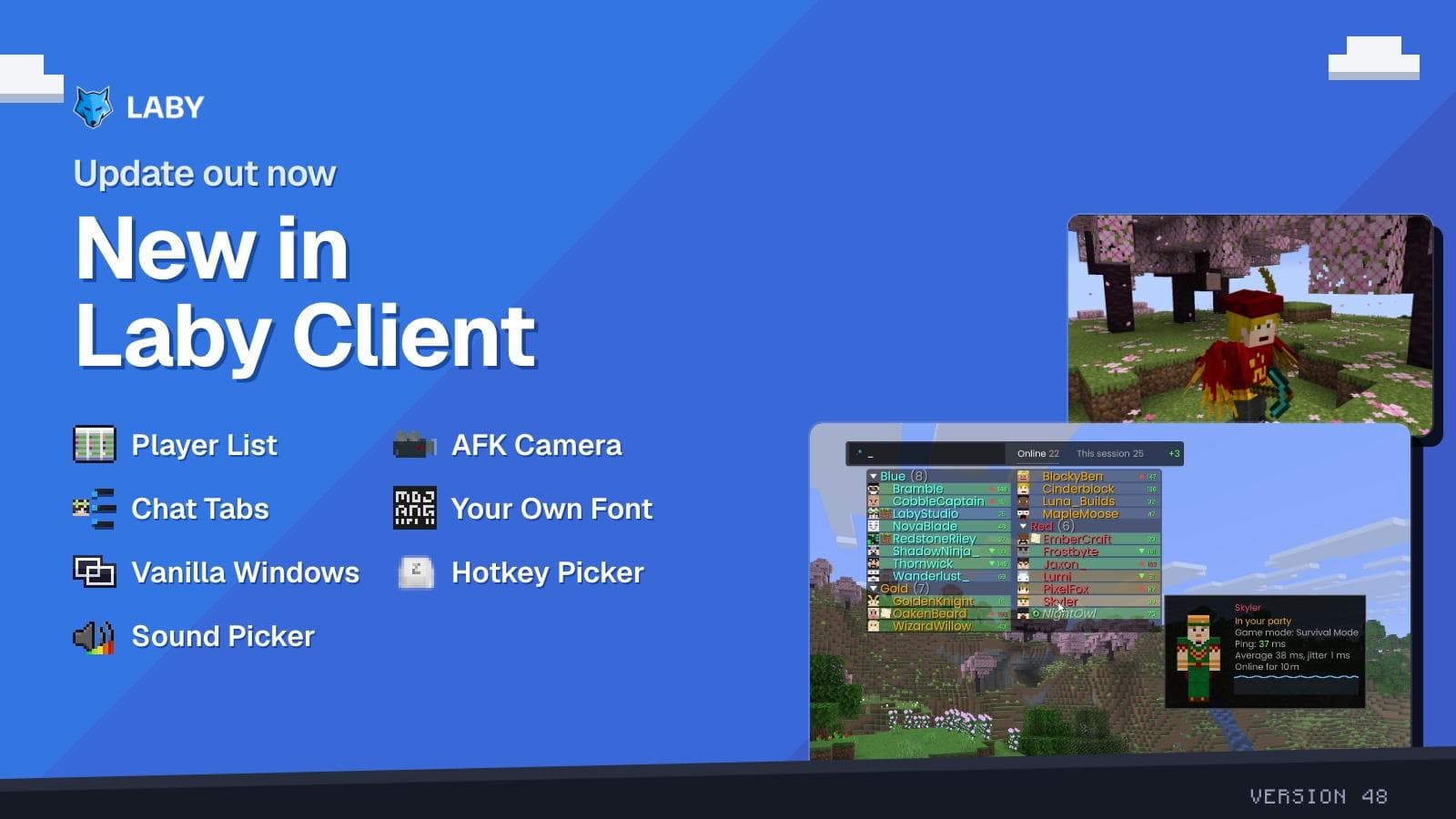
A smarter player list, the AFK Camera and chat tabs in a few clicks
New in Laby Client: a player list with Interactive Mode, the AFK Camera, a chat tab wizard, your own font everywhere and new windows for Vanilla.
 Laby
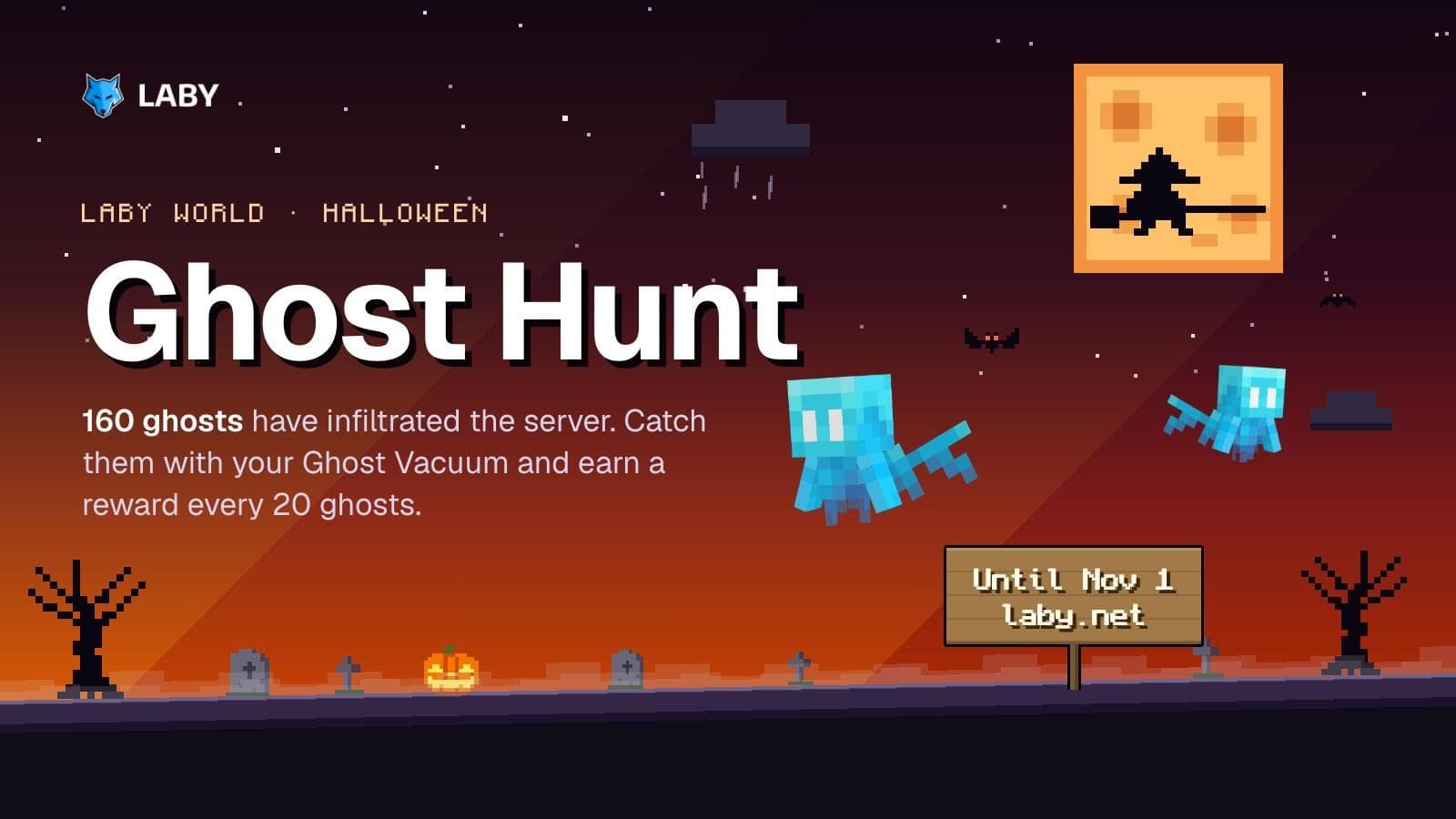
Ghost Hunt on Laby World: catch 160 ghosts until November 1
160 ghosts have infiltrated Laby World. Catch them with the Ghost Vacuum until November 1 and unlock loot boxes and three Halloween cosmetics.
 Laby
Halloween Season 2026 | New Cosmetics & Mimic Lootbox Event
Halloween has arrived at Laby! Discover new Halloween cosmetics and earn free Mimic Lootboxes with a chance to unlock an exclusive permanent Mimic Pet!
Comments (0)